The Wiert Corner – irregular stream of stuff

Jeroen W. Pluimers on .NET, C#, Delphi, databases, and personal interests

  • My badges

  • Twitter Updates

  • My Flickr Stream

  • Pages

  • All categories

  • Enter your email address to subscribe to this blog and receive notifications of new posts by email.

    Join 1,835 other subscribers

Archive for the ‘Software Development’ Category

instead of x86, msbuild is creating an x64 solution configuration via sln.metaproj – Stack Overflow

Posted by jpluimers on 2017/05/02

Sometimes msbuild will throw an error like this  for an x86 project:

"C:\Users\Developer\Versioned\libssh2\build\libssh2.sln" (default target) (1) ->
(ValidateSolutionConfiguration target) ->
C:\Users\Developer\Versioned\libssh2\build\libssh2.sln.metaproj : error MSB4126: The specified solution configuration "Debug|X64" is invalid. Please specify a valid solution configuration using the Configuration and Platform properties
form="Any CPU") or leave those properties blank to use the default solution configuration. [C:\Users\Developer\Versioned\libssh2\build\libssh2.sln]

Cause:

vsvars64.bat will set the environment variable Platform=x64 but vsvars32.bat will not empty this environment variable.

Easiest is to run set Platform= then run vsvars32.bat.

Adopted from MSBuild creating an x64 solution configuration via sln.metaproj – Stack Overflow [WayBack]:

If you are running this in the Visual Studio x64 command window it will set an environment variable Platform=x64 that will be used by msbuild. You can verify this by running echo in the command prompt you are using.

echo %platform%

So you will need to override the default when using x64 cmd, or run from the x86 cmd.

malexander

–jeroen

Posted in .NET, C++, Development, Software Development, Visual Studio 2015, Visual Studio and tools, Visual Studio C++ | Leave a Comment »

Comparing commits across time – via github User Documentation

Posted by jpluimers on 2017/05/02

To get to the compare view, append /compare to your repository’s path.

This brings you the basic comparison interface which is very flexible: just enter a branch, tag or history marker in the dropdowns for base and compare.

Examples from the user docs:

–jeroen

Source: Comparing commits across time – User Documentation

Posted in Development, DVCS - Distributed Version Control, git, GitHub, Software Development, Source Code Management | Leave a Comment »

The SSH Port 22 story

Posted by jpluimers on 2017/04/28

The story isn’t a catch-22, but it is still fun to read:

SSH port is 22. The history of how I (Tatu Ylonen) got it. How to configure it through firewalls and iptables.

It also shows how agile the Internet was back then.

Source: [Archive.isSSH Port

Via: [WayBack] “The SSH (Secure Shell) port is 22. It is not a co-incidence. This is a story I (Tatu Ylonen) haven’t told before.” https://www.ssh.com/ssh/port – This is why I Code – Google+

–jeroen

Posted in Development, History, Internet protocol suite, Software Development, SSH, TCP | Leave a Comment »

FMX.Dialogs basically blocks mixing VCL with FMX…

Posted by jpluimers on 2017/04/27

Nice find:

Stefan Glienke+4

Look into the initialization block of FMX.Dialogs. The call to ActivateClassGroup(TFmxObject); turns off all the TRegGroups that don’t contain at least one type that inherits from TFmxObject which also happens to be the group that you register your form class to. GetClass then ignores such groups.

I don’t have the slightest idea what the intention behind all that code is but it certainly is one of the reasons why you cannot mix FMX and VCL officially.

In response to:

I have an VCL application. I need to register some form classes at run time. This is done in the form’s unit implementation section :

Initialization

If GetClass(‘TfmConnectiondialog’) = Nil Then
Classes.RegisterClass(TfmConnectiondialog);

Suddenly my class wasn’t registered anymore. GetClass(‘TfmConnectiondialog’) was always nil and Classes.RegisterClass had no effects.

After some long search, I’ve found that I’ve inadvertently added an FMX.Forms in one of my unit. This was the culprit. Replacing FMX.Forms with VCL.Forms solved my problem.

Behaviour is really strange, why Classes.RegisterClass didn’t throw any exception ? Is this a “Bug” or is this “as expected” ?

–jeroen

Source: Hello, I have an VCL application. I need to register some form classes at ru… [WayBack]

Posted in Delphi, Delphi 10 Seattle, Delphi 10.1 Berlin (BigBen), Delphi XE7, Delphi XE8, Development, Software Development | 1 Comment »

Programmer Interrupted

Posted by jpluimers on 2017/04/27

Brilliant cartoon by Jason Heeris. Don’t interrupt anyone processing a high cognitive load.

Source: Twitpic – Share photos and videos on Twitter (there is also a [WayBack2-column PDF – of course A4 sized).

I know it’s been around the interwebz dozens of times. It should rinse, repeat dozens of times more.

via:

–jeroen

Read the rest of this entry »

Posted in Development, Software Development | Leave a Comment »

Easily print GitHub markdown as beautiful PDFs that – in Chrome – immediately download

Posted by jpluimers on 2017/04/26

Printing Markdown with GitPrint

Simply view any Markdown file on GitHub, then in your URL bar replace the github.com part of the URL with gitprint.com — your markdown file will be rendered to a beautiful, printable PDF.

Try an example https://gitprint.com/jquery/jquery/blob/master/README.md

Every once in a while I feel like I’ve been living under a stone for years. Today is such a day as gitprint has been around since 2014 and I only noticed it until now.

It’s cool as it prints any github page (including Markdown, RestructuredText, etc) as a PDF file.

Notes:

Read the rest of this entry »

Posted in Bookmarklet, Development, DVCS - Distributed Version Control, git, GitHub, jQuery, Software Development, Source Code Management, Web Browsers | Leave a Comment »

pestudio – great tool for doing PE executable analysis

Posted by jpluimers on 2017/04/25

pestudio

The standard version of pestudio is free to download as a ZIP file (md5: D62BDE0319015C7CD5ABA8D03A36FFBF).
Once decompressed, pestudio does not require any installation nor does it change the system it is running on.
It is fully portable and runs on any Windows platform. Details about the features of this standard version are available at here [WayBack].

Download pestudio 8.54 [WayBack]

pestudio+

The professional version of pestudio must be purchased and provides the full set of features of the tool. Details about the professional version as well as the licence conditons are available here [WayBack].

Source: pestudio [WayBack]

A great guide is at PeStudio Standard [WayBack] which despite the name does an in-depth explanation on how to use this great tool.

–jeroen

Via: Guide / tutorial, nice tool to examine executables, find virus etc – David Berneda – Google+ [WayBack]

Posted in Development, Software Development, Windows Development | Leave a Comment »

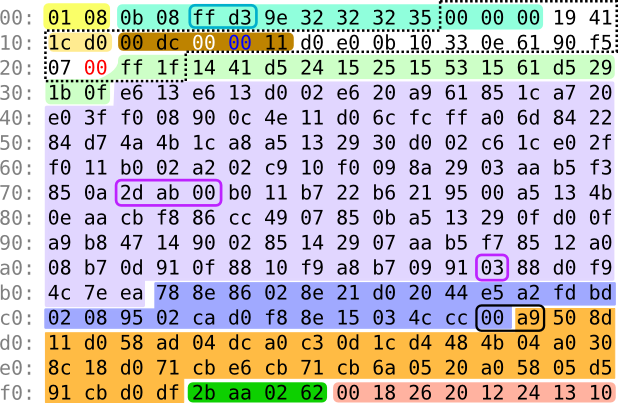
Warning: C64 geek pr0n! A Mind Is Born

Posted by jpluimers on 2017/04/20

Geek pr0n on the C64:

Making a demo in just 256 bytes would be a formidable challenge regardless of platform. A Mind Is Born is my attempt to do it on the Commodore 64. In the absence of an actual 256-byte compo, it was submitted to the Oldskool 4K Intro compo at [WayBackRevision 2017, where it ended up on 1st place.

Source: [WayBackA Mind Is Born

Via:

–jeroen

Read the rest of this entry »

Posted in 6502, C64, Commodore, Development, History, Software Development | Leave a Comment »

use vmrun – via How do I find the IP address of a virtual machine using VMware Fusion? – Super User

Posted by jpluimers on 2017/04/20

Note this works only when the VMs have VMware Tools installed (more on that below):

VMWare provides, not surprisingly, a built in tool for this, vmrun. It’s under /Applications/VMware Fusion.app/Contents/Library/vmrun although it has moved around in other Fusion releases a bit.

🍺 vmrun list Total running VMs: 1 .docker/machine/machines/myvm.vmx
🍺 vmrun getGuestIPAddress ~/.docker/machine/machines/myvm.vmx 172.16.213.128

via: How do I find the IP address of a virtual machine using VMware Fusion? – Super User [WayBack]

vmrun [WayBack] is barely documented and most of is in PDF of which this is the most recent I could find: www.vmware.com/pdf/vix180_vmrun_command.pdf [WayBack]

Based on the above path, I added this to my ~/.bash_profile file:

alias vmrun='/Applications/VMware\ Fusion.app/Contents/Library/vmrun'
alias vmrun-list-running-VMs='vmrun list | grep vmx'
vmrun-list-ipv4-of-running-VMs()
{
  vmrun-list-running-VMs | while read line ; do echo $line && vmrun getGuestIPAddress $line; done
}

Now I can do this:

$ vmrun-list-ipv4-of-running-VMs
/Users/jeroenp/VM/W81Entx64DelphiRegression.vmwarevm/W81Entx64.vmx
172.16.172.135
/Users/jeroenp/VM/diaspore-opensuse-Tumbleweed-x64.vmwarevm/diaspore-opensuse-Tumbleweed-x64.vmx
Error: The VMware Tools are not running in the virtual machine: /Users/jeroenp/VM/diaspore-opensuse-Tumbleweed-x64.vmwarevm/diaspore-opensuse-Tumbleweed-x64.vmx
$ vmrun-list-ipv4-of-running-VMs
/Users/jeroenp/VM/diaspore.opensuse-Tumbleweed-x64/diaspore.opensuse-Tumbleweed-x64.vmx
Error: Unable to get the IP address
/Users/jeroenp/VM/W81Entx64DelphiRegression.vmwarevm/W81Entx64.vmx
172.16.172.135
$ vmrun-list-ipv4-of-running-VMs
/Users/jeroenp/VM/diaspore.opensuse-Tumbleweed-x64/diaspore.opensuse-Tumbleweed-x64.vmx
Error: Unable to get the IP address
/Users/jeroenp/VM/W81Entx64DelphiRegression.vmwarevm/W81Entx64.vmx
172.16.172.135
$ vmrun-list-ipv4-of-running-VMs
/Users/jeroenp/VM/diaspore.opensuse-Tumbleweed-x64/diaspore.opensuse-Tumbleweed-x64.vmx
172.16.172.134
/Users/jeroenp/VM/W81Entx64DelphiRegression.vmwarevm/W81Entx64.vmx
172.16.172.135
$ vmrun-list-ipv4-of-running-VMs
/Users/jeroenp/VM/diaspore.opensuse-Tumbleweed-x64/diaspore.opensuse-Tumbleweed-x64.vmx
172.16.172.134
/Users/jeroenp/VM/W81Entx64DelphiRegression.vmwarevm/W81Entx64.vmx
172.16.172.142

These are the messages I observed:

Error: The VMware Tools are not running in the virtual machine: /Users/jeroenp/VM/diaspore-opensuse-Tumbleweed-x64.vmwarevm/diaspore-opensuse-Tumbleweed-x64.vmx
Error: Unable to get the IP address
172.16.172.135

The first one means a machine is running but has no VMware Tools installed. For an OpenSuSE machine you can install it with zypper install open-vm-tools, for other Linux systems read VMware Tools auf Ubuntu, Mint, CentOS oder openSUSE installieren | ITrig [WayBack]

Some more examples of vmrun for VMware Fusion are at Control VMware Fusion from the Command Line | James Reuben Knowles [WayBack]

–jeroen

Posted in *nix, bash, Development, Fusion, openSuSE, Power User, Scripting, Software Development, SuSE Linux, Tumbleweed, Virtualization, VMware | Leave a Comment »

Dark corners of Unicode / fuzzy notepad

Posted by jpluimers on 2017/04/20

You think you know Unicode? Think again, then read [Wayback] Dark corners of Unicode / fuzzy notepad.

On basics, sorting, comparison, decomposition, composition, width, whitespace, encoding, emoji, interesting code planes and dark corners. Lots of dark corners.

The examples are in Python, but hold for almost any programming language

–jeroen

via: Kristian Köhntopp

Posted in Conference Topics, Conferences, Development, Encoding, Event, Software Development, Unicode | Leave a Comment »