


For mu own memory: Notifications – Google+ are at https://plus.google.com/notifications/all
–jeroen
Posted by jpluimers on 2018/09/10
For mu own memory: Notifications – Google+ are at https://plus.google.com/notifications/all
–jeroen

Posted in G+: GooglePlus, LifeHacker, Power User, SocialMedia | Leave a Comment »
Posted by jpluimers on 2018/09/10
[WayBack] Nooit toestemming gegeven, toch in het EPD? Check het zelf! | Platform Bescherming Burgerrechten:
Burgers ontdekken dat hun medische gegevens in het systeem staan en door verschillende partijen zijn geraadpleegd, zonder dat ze daar ooit toestemming voor gaven. De enige manier om zeker te weten dat je dossier niet via het systeem beschikbaar wordt gesteld, is door dit zelf na te vragen.
–jeroen
Posted in LifeHacker, Power User, Privacy | Leave a Comment »
Posted by jpluimers on 2018/09/09
The coupon for the Promo worked yesterday, so you might want to try it if you like a scope in a multimeter form factor: [WayBack] MUSTOOL MT8206 Multimeter & Oscilloscope Goes for $42 (Promo).
MUSTOOL MT8206 looks like a standard digital multimeter, but the device is actually a 2-in-1 device that also serves as a oscilloscope. Banggood have the…
Via [WayBack] New 2-in-1 digital multimeter + oscilloscope selling for ~$42 shipped for a limited time – Jean-Luc Aufranc – Google+
–jeroen

Posted in Development, Hardware Development, Power User | Leave a Comment »
Posted by jpluimers on 2018/09/07
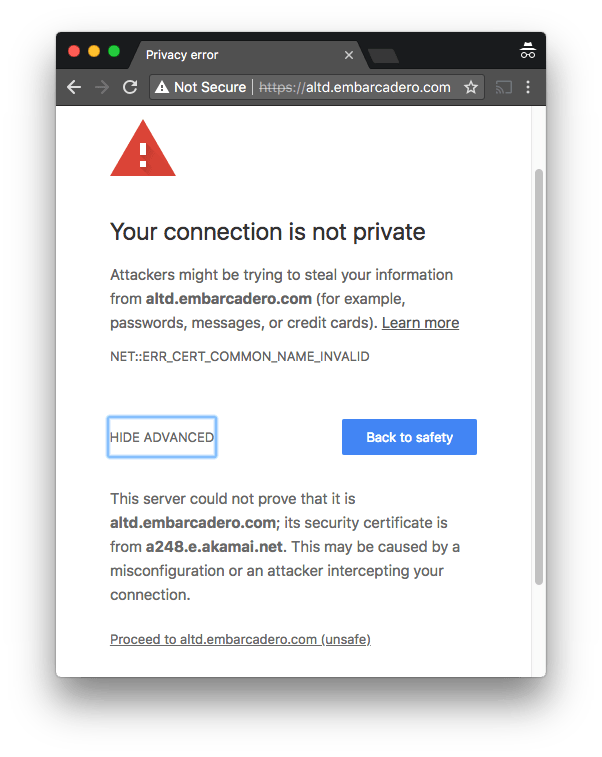 One of the domains not yet monitored at embarcaderomonitoring.wiert.me, was the
 altd download server for ISOs and installers on http and https level. Ultimately you want https, as most of these are about installers, so you do not want any man-in-the-middle to fiddle with them.
Upitmerobot is not yet smart enough to check validity of TLS certificates on https connections.
Chrome, Firefox, Safari, Internet Explorer, wget, curl and ssllabs however are.
Uptimerobot did not like monitoring the plain http://altd.embarcadero.com/ and https://altd.embarcadero.com/ URLs, because the altd is not browsable, so it tries to hide most of its structure from access. This means they both return an odd response:
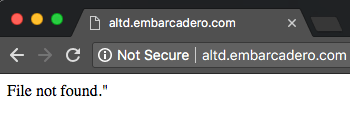
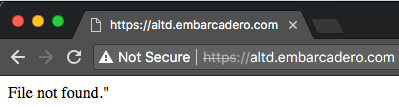
Those responses are actually 404 errors (note the - minus sign after curl --trace-ascii: it sends the trace to stdout):
$ wget http://altd.embarcadero.com/
--2018-09-05 10:44:23-- http://altd.embarcadero.com/
Resolving altd.embarcadero.com (altd.embarcadero.com)... 88.221.144.40, 88.221.144.10
Connecting to altd.embarcadero.com (altd.embarcadero.com)|88.221.144.40|:80... connected.
HTTP request sent, awaiting response... 404 Not Found
2018-09-05 10:44:23 ERROR 404: Not Found.

$ curl --verbose http://altd.embarcadero.com/
*   Trying 88.221.144.40...
* TCP_NODELAY set
* Connected to altd.embarcadero.com (88.221.144.40) port 80 (#0)
> GET / HTTP/1.1
> Host: altd.embarcadero.com
> User-Agent: curl/7.54.0
> Accept: */*
>
< HTTP/1.1 404 Not Found
< Server: Apache
< Content-Type: text/html; charset=iso-8859-1
< Content-Length: 16
< Date: Wed, 05 Sep 2018 08:45:57 GMT
< Connection: keep-alive
<
* Connection #0 to host altd.embarcadero.com left intact
File not found."

$ curl --trace-ascii - http://altd.embarcadero.com/
== Info:   Trying 88.221.144.40...
== Info: TCP_NODELAY set
== Info: Connected to altd.embarcadero.com (88.221.144.40) port 80 (#0)
=> Send header, 84 bytes (0x54)
0000: GET / HTTP/1.1
0010: Host: altd.embarcadero.com
002c: User-Agent: curl/7.54.0
0045: Accept: */*
0052:
<= Recv header, 24 bytes (0x18)
0000: HTTP/1.1 404 Not Found
<= Recv header, 16 bytes (0x10)
0000: Server: Apache
<= Recv header, 45 bytes (0x2d)
0000: Content-Type: text/html; charset=iso-8859-1
<= Recv header, 20 bytes (0x14)
0000: Content-Length: 16
<= Recv header, 37 bytes (0x25)
0000: Date: Wed, 05 Sep 2018 08:47:19 GMT
<= Recv header, 24 bytes (0x18)
0000: Connection: keep-alive
<= Recv header, 2 bytes (0x2)
0000:
<= Recv data, 16 bytes (0x10)
0000: File not found."
File not found."== Info: Connection #0 to host altd.embarcadero.com left intact
This is also the reason that WayBack does not want to archive that link, but it can be archived at [Archive.is] https://altd.embarcadero.com/.
Luckily, a Google search for site:altd.embarcadero.com revealed there is a non-installer file short enough (~72 kibibytes) for Uptime robot to check, so it now verifies it can access these:
–jeroen

Posted in *nix, *nix-tools, cURL, Encryption, HTTPS/TLS security, Monitoring, Power User, Security, Uptimerobot, wget | Leave a Comment »
Posted by jpluimers on 2018/09/07
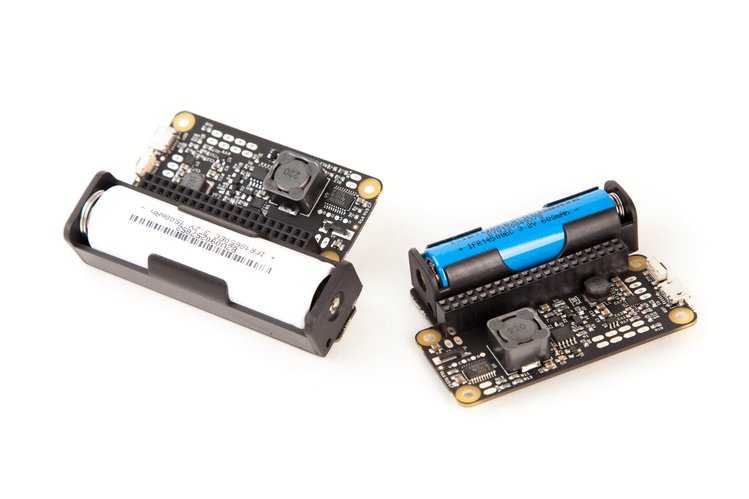
A few days left for [WayBack] LiFePO4wered/Pi+ | Crowd Supply: A full-featured LiFePO4 battery, power manager, and UPS for the Raspberry Pi
via:
–jeroen
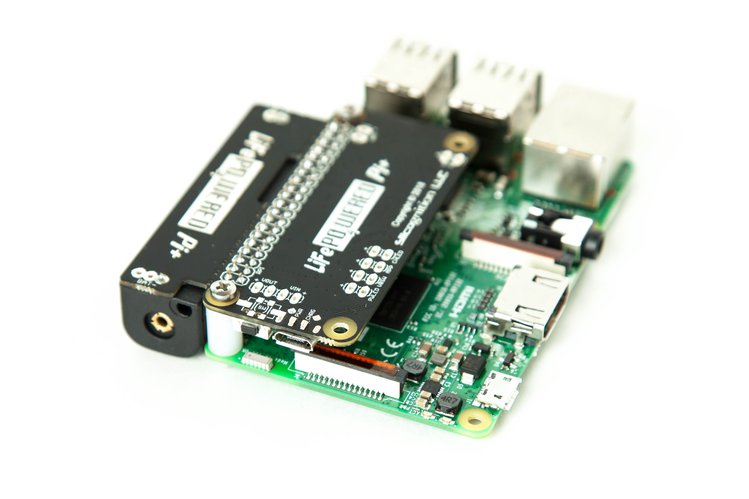

Posted in Development, Hardware Development, Power User, Raspberry Pi | Leave a Comment »
Posted by jpluimers on 2018/09/07
A few links that helped me track down why a sudden new Ziggo IP-address was blacklisted:
–jeroen
Posted in DNS, Internet, Power User | Leave a Comment »
Posted by jpluimers on 2018/09/07
Too bad most of them are very picky to the Linux distributions they run on.
–jeroen
Posted in *nix, Linux, openSuSE, Power User, SuSE Linux | Leave a Comment »
Posted by jpluimers on 2018/09/06
Interesting stuff:
Open-source home automation platform running on Python 3. Track and control all devices at home and automate control. Installation in less than a minute.
Source: Home Assistant
Via:
CounterDesk
@Dysan • 18 mei 2017 09:47Ik doe dus een hoop met home-assistant (https://home-assistant.io/) en wat custom Python scripts/apis wat allemaal op een oude laptop met ubuntu draait (10w verbruik).
De Horizon Box specifiek gaat via Harmony Hub, kan via de standaard integratie of via eigen brouwsels. Lifx en Nest heeft standaard integratie met Google Home. Al heb ik voor Lifx zelf het een-en-ander geschreven in Python om bijvoorbeeld scenes op te slaan en op te roepen met voice commando’s, dat kan weer niet standaard. NS API gaat ook via die Python API en wat er terug gezegd wordt (in het Nederlands) gaat via home-assistant.
Het voordeel van zelf zoiets bouwen is dat ik alles makkelijkers aan elkaar kan knopen dan bijvoorbeeld via IFTTT en Stringify o.i.d.. Zo kan ik bijvoorbeeld “Hey Google, sexy time” roepen en dan veranderd mijn verlichting langzaam naar iets romantischers (denk rood/oranje/roze), speelt er een zwoel lounge muziekje op mijn Sonos van een samba share, gaat de tempratuur wat omhoog en gaat mijn tv aan naar het chromecast kanaal en speelt er van die zelfde samba share een mp4 met een haardvuurtje.
Vet cheesy, I know, ik moet er de eerste vrouw nog mee verrassen
maar het was ook vooral als demo van wat ik allemaal kan aansturen, bedoeld als grapje voor vrienden etc.
Google voegt een notificatiefunctie toe aan zijn Home-speaker. Als gebruikers een belangrijk bericht krijgen, zullen de ledjes op de speaker de aandacht gaan trekken van de gebruiker. De speaker gaat vooralsnog niet uit zichzelf spreken.
Source: Home-speaker van Google krijgt notificatiefunctie – Beeld en geluid – Nieuws – Tweakers
–jeroen

Posted in Development, IoT Internet of Things, Network-and-equipment, Power User, Software Development | Leave a Comment »
Posted by jpluimers on 2018/09/05
On my research list:
Automate what you see on a computer monitor
Source: [WayBack] RaiMan’s SikuliX
Repositories:
It is an evolution of [WayBack] Sikuli Script – Home that has an other fork that can be automated with PowerPoint slides:
I should play with it: [WayBack] SikuliX – QUICKSTART
Via: [WayBack] Any recommendations of automation tools for GUI testing.We tried AutoIT but it had some problems and way too technical… – Tommi Prami – Google+
–jeroen
Posted in Agile, Development, OCR, Power User, Software Development, Tesseract, Testing | Leave a Comment »
Posted by jpluimers on 2018/09/03
Just in case I have Plastic SCM without Beyond Compare:
"C:\Program Files\PlasticSCM5\client\mergetool" -b="%TEMP%\baseFile-guid.pas" -bn="baseSymbolicName" -bh="baseHash" -s="%TEMP%\sourceFile-guid.pas" -sn="srcSymbolicName" -sh="srcHash" -d="...\destinationPath\destinationFile.pas" -dh="destinationHash" -a -r="%TEMP%\resultFile.pas" -t="text" -i="NotIgnore" -e="NONE" -m="forced" -re="NONE" --progress="progressDescription" --extrainfofile="%TEMP%\extraInfoFile.tmp"
To be done
aa
"C:\Program Files\PlasticSCM5\client\mergetool.exe" --help--------------------------- Mergetool usage --------------------------- Usage: mergetool [ | ] diffOptions: [] mergeOptions: [] [[] [] ] [] [] baseFile: {-b | --base}= baseSymbolicName: {-bn | --basesymbolicname}= automatic: -a | --automatic silent: --silent resultFile: {-r | --result}= mergeType: {-m | --mergeresolutiontype}={onlyone | onlysrc | onlydst | try | forced} generalFiles: [] [] sourceFile: {-s | --source}= srcSymbolicName: {-sn | --srcsymbolicname}= destinationFile: {-d | --destination}= dstSymbolicName: {-dn | --dstsymbolicname}= generalOptions: [] [] [] [] defaultEncoding: {-e | --encoding}={none |ascii | unicode | bigendian | utf7 | utf8} comparisonMethod: {-i | --ignore}={none | eol | whitespaces | eol&whitespaces} fileType: {-t | --filestype}={text/csharp | text/XML | text} resultEncoding: {-re | --resultencoding}={none |ascii | unicode | bigendian | utf7 | utf8} progress: {--progress}=progress string indicating the current progress, for example: Merging file 1/8 extraInfoFile: {--extrainfofile}=path to a file that contains extra info about the merge Remarks: -a | --automatic: Tries to resolve the merge automatically. If the merge can't be resolved automatically (requires user interaction), the merge tool is shown. --silent: This option must be used combined with the --automatic option. When a merge can't be resolved automatically, this option causes the tool to return immediately with a non-zero exit code (no merge tool is shown). If the tool was able to resolve the merge automatically, the program returns exit code 0. Examples: mergetool mergetool -s=file1.txt -d=file2.txt mergetool -s=file1.txt -b=file0.txt --destination=file2.txt mergetool --base=file0.txt -d=file2.txt --source=file1.txt --automatic --result=result.txt mergetool -b=file0.txt -s=file1.txt -d=file2.txt -a -r=result.txt -e=utf7 -i=eol -t=text/csharp -m=onlyone --------------------------- OK ---------------------------
The merge extraInfoFile.tmp has a syntax like this:
Source (cs:-#)
    relative-sourceFile from cs:-# created by userName on timeStamp
    Comments: Source changeset description

Base (cs:#)
    relative-baseFile from cs:#@/baseBranch by userName on timeStamp
    Comments: BO's + CRUDS

Destination (cs:#)
    relative-destinationFile from cs@/destinationBranch created by userName on timeStamp
    Comments: Destination changeset description
Where each
csis a change set number.
–jeroen
Posted in Beyond Compare, Development, Encoding, PlasticSCM, Power User, Software Development, Source Code Management | Leave a Comment »


 The Wiert Corner - irregular stream of stuff