Archive for the ‘Windows 8’ Category
Posted by jpluimers on 2024/10/09
Note that the below methods likely will cause security warnings if a Windows machine has been properly configured, but in most cases at least one of them works.
- using cURL (Widows 10 and up)
curl --url https://speed.hetzner.de/100MB.bin --output %TEMP%\100MB.bin
- using [Wayback/Archive]
certutil | Microsoft Docs (at least Windows 7 and up; needs UAC elevation)
certutil.exe -urlcache -split -f https://speed.hetzner.de/100MB.bin %TEMP%\100MB.bin
- using PowerShell (at least Windows Vista and up)
powershell.exe -Command (New-Object System.Net.WebClient).DownloadFile('https://speed.hetzner.de/100MB.bin','%TEMP%\100MB.bin')
I think it works for all versions of curl, certutil, and PowerShell though I did not have anything older than up-to-date Windows 7 (having PowerShell version 3) and recent to test on.
Read the rest of this entry »
Posted in *nix, *nix-tools, .NET, Batch-Files, CommandLine, cURL, Development, Power User, PowerShell, PowerShell, Scripting, Software Development, Windows, Windows 10, Windows 11, Windows 7, Windows 8, Windows 8.1, Windows Development, Windows Vista | Leave a Comment »
Posted by jpluimers on 2024/10/04
A while ago I learned that since Windows 8, sometimes it uses LaunchTM.exe (which is not even on Wikipedia) to start TaskMgr.exe.
I could find little information about the why, so here are some links with information on when LaunchTM.exe is used (which is confusing) and what command-line parameters TaskMgr.exe can get (also confusing as the order of parameters matter):
Read the rest of this entry »
Posted in Power User, Windows, Windows 10, Windows 11, Windows 7, Windows 8, Windows 8.1 | Leave a Comment »
Posted by jpluimers on 2024/10/02
I forgot what triggered me querying for [Wayback/Archive] can windows user names contain spaces – Google Search.
Boy I was surprised that the answer is yes.
Following that I was totally not surprised that:
Read the rest of this entry »
Posted in Power User, Windows 7, Windows 8, Windows, Windows 8.1, Windows 10, Windows 11 | Leave a Comment »
Posted by jpluimers on 2024/05/23
More than a decade ago I wrote about Programmatic alternatives to Windows-L keyboard shortcut (SwitchUser / LockWorkstation).
Still, I see many scripts invoke rundll32.exe or to call the [Wayback/Archive] LockWorkStation function (winuser.h) inside user32.dll. Don’t!
The BOOL LockWorkStation()function has a calling convention that is incompatible with rundll32.exe () which will corrupt the call stack likely will lead to random problems as after two decades, this post from Raymond Chen still holds: [Wayback/Archive] What can go wrong when you mismatch the calling convention? – The Old New Thing
Read the rest of this entry »
Posted in .NET, Batch-Files, C#, CommandLine, Development, Power User, PowerShell, PowerShell, Scripting, Security, Software Development, Windows, Windows 10, Windows 11, Windows 7, Windows 8, Windows 8.1, Windows Server 2016 | Leave a Comment »
Posted by jpluimers on 2024/05/03
The build is from 2007, but still works fine on Windows 10 and 11 and perfectly fitted my needs for finding some ~2500 duplicate files that Google Drive made with their “upgrade” from Google Backup and Sync to Google Drive File Sync (where syncing from shared content is sort of possible and impossible at the same time).
Via [Wayback/Archive] Which duplicate files and folders finders exist for Windows? – Super User (thanks [Wayback/Archive] Chris Driver for answering and [Wayback/Archive] Andrija for asking) where I commented [Wayback/Archive]:
Thanks: still works fine in 2022. Download from … is a simple ZIP file which you can extract and just run the executable. No need for complicated installers or admin rights. Matches on (combinations of) name/size/date/CRC32, then intuitive GUI to select the files you don’t want any more, then either delete or move those selected files.
Via
–jeroen
Read the rest of this entry »
Posted in Power User, Windows, Windows 10, Windows 11, Windows 7, Windows 8, Windows 8.1 | Leave a Comment »
Posted by jpluimers on 2024/01/25
This one is cool: [Wayback/Archive] PRANK: Windows XP Updates.
Note that unlike the screenshot below, the actual prank does count the percentage. The actual page does.
You can start this one and various other OSes plus Windows versions and other pranks via [Wayback/Archive] FakeUpdate.net – Windows Update Prank by fediaFedia (at the time of writing Windows 98 install, Windows Vista update, Windows 8 update, Windows 7 update, Mac OS boot, Windows 10 install, Windows 10 update, steam and “fake ransomware”).
It is a cool and relatively harmless way of teaching people to use their lock screen when away from their machine (Windows: Win+L, Mac OS: Ctrl+Shift+Power).
Read the rest of this entry »
Posted in Awareness, Fun, Power User, Security, Windows, Windows 10, Windows 11, Windows 7, Windows 8, Windows 8.1, Windows 9, Windows Server 2000, Windows Server 2003, Windows Server 2003 R2, Windows Server 2008, Windows Server 2008 R2, Windows Server 2012, Windows Server 2012 R2, Windows Server 2016, Windows Vista, Windows XP | Leave a Comment »
Posted by jpluimers on 2023/06/02
If course you can configure Windows Optional Features using the GUI as for instance explained at [Wayback/Archive] How to manage Windows 10’s many ‘optional features | Windows Central.
However, I prefer command-line management.
About the only post doing the comparison of command-line mangement options I could find about is [Wayback/Archive] Different ways for installing Windows features on the command line – Peter Hahndorf and hopefully will be further updated in the future. It is dated 2015, but has been updated until at least Windows Server Nano.
I added one, and then rewrote the tool-set availability table in the post into this:
Read the rest of this entry »
Posted in Communications Development, Development, Internet protocol suite, Microsoft Store, OpenSSH, Power User, SSH, TCP, Windows, Windows 10, Windows 11, Windows 7, Windows 8, Windows 8.1, Windows Server 2008, Windows Server 2008 R2, Windows Server 2012, Windows Server 2012 R2, Windows Server 2016, Windows Vista | Leave a Comment »
Posted by jpluimers on 2022/10/20
Last week I found out that I had some Windows ATOM issues before, but this beats them easily was still a draft in stead if in the blog queue.
I got reminded to it by someone asking on Telegram about
“Do I need to use GarbageCollectAtoms in Delphi? I used it in delphi 7, but I dont know what is benefit. 😐”.
The short answer is: yes, if your Delphi application does terminate in a way that the Controls unit cannot cleanly unload (and cannot free the Windows atoms) or leaks Windows atoms in a different way. I have been in that situation and that’s why I wrote the above blog post that got published in 2016.
The longer answer is likely no, both the Windows atom and registered Windows message table share a heap and that registered VCL Windows message leaking bug got fixed some 10 years ago in Delphi XE2, see:
Read the rest of this entry »
Posted in Conference Topics, Conferences, Delphi, Development, Event, Power User, Software Development, Windows, Windows 10, Windows 7, Windows 8, Windows 8.1, Windows NT, Windows Server 2000, Windows Server 2003, Windows Server 2003 R2, Windows Server 2008, Windows Server 2008 R2, Windows Server 2012, Windows Server 2012 R2, Windows Server 2016, Windows Vista, Windows XP | Leave a Comment »
Posted by jpluimers on 2022/10/19
Posted in Development, FortiGate/FortiClient, Hardware, Network-and-equipment, Power User, Security, Software Development, VPN, Windows, Windows 10, Windows 7, Windows 8, Windows 8.1, Windows 9, Windows Development, Windows Server 2000, Windows Server 2003, Windows Server 2003 R2, Windows Server 2008, Windows Server 2008 R2, Windows Server 2012, Windows Server 2012 R2, Windows Server 2016, Windows Vista, Windows XP | Leave a Comment »
Posted by jpluimers on 2022/10/17
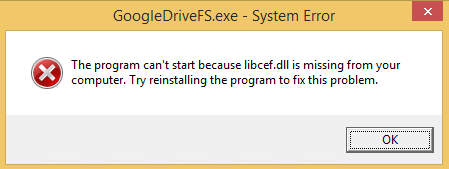
GoogleDriveFS – cannot find libcef.dll
Don’t you love errors after things try to audo-update themselves without testing preerquisites:
---------------------------
GoogleDriveFS.exe - System Error
---------------------------
The program can't start because libcef.dll is missing from your computer. Try reinstalling the program to fix this problem.
---------------------------
OK
---------------------------
The message was from the csrss.exe Client/Server Runtime Subsystem – Wikipedia process:
Read the rest of this entry »
Posted in Google, GoogleDrive, Power User, Windows, Windows 8 | Leave a Comment »


 The Wiert Corner - irregular stream of stuff