All of [WayBack] GetCursorPos, [WayBack] GetCursorInfo and [WayBack] GetKeyState can cause an “Access Denied” (Error code 5) when they do not have permission for the current desktop (for instance the logon desktop when a screen-saver has kicked in).
The easiest way to uninstall the CollabNet SVN Client is running this small script:
This file contains hidden or bidirectional Unicode text that may be interpreted or compiled differently than what appears below. To review, open the file in an editor that reveals hidden Unicode characters. Learn more about bidirectional Unicode characters
I have long since stopped using the CollabNet-branded version because it’s behind a registration wall. I found Slik SVN as a good alternative. It’s exactly the same command-line client you get from CollabNet, sans the hassle in downloading it.
I hope someone at Embarcadero enters this in QC^w QualityPortal as I’m awaiting Embarcadero response about a security issue there.
For my archive bc.bat it finds Beyond Compare, then starts it with the given command line parameters. It prefers version 4 over version 3 and user settings over system settings:
:begin
@echo off
  setlocal
  IF /I %PROCESSOR_ARCHITECTURE% == amd64 goto :x64
  IF /I %PROCESSOR_ARCHITEW6432% == amd64 goto :x64
  goto :x86
:x64
  :: OS is 64bit
  set hkcuBaseKey=HKEY_CURRENT_USER\Software\Scooter Software\Beyond Compare
  set hklmBaseKey=HKEY_LOCAL_MACHINE\SOFTWARE\Wow6432Node\Scooter Software\Beyond Compare

  goto :findBC
:x86
  :: OS is 32bit
  set hkcuBaseKey=HKEY_CURRENT_USER\Software\Scooter Software\Beyond Compare
  set hklmBaseKey=HKEY_LOCAL_MACHINE\SOFTWARE\Scooter Software\Beyond Compare
  goto :findBC
:findBC
  :: https://gist.github.com/rojepp/634908
  :: http://stackoverflow.com/questions/5369528/windows-batch-reg-query-key-value-to-a-variable-but-do-not-display-error-if-key
  set SupportedBeyondCompareVersions=3, 4
  for %%v in (%SupportedBeyondCompareVersions%) do (
    for /f "usebackq tokens=2* delims= " %%c in (`reg query "%hkcuBaseKey% %%v" /v ExePath 2^>NUL`) do (
      call :do set bcExe="%%d"
    )
  )
  if not [%bcExe%]==[] goto :foundBC
    for /f "usebackq tokens=2* delims= " %%c in (`reg query "%hkcuBaseKey%" /v ExePath 2^>NUL`) do (
      call :do set bcExe="%%d"
    )
  if not [%bcExe%]==[] goto :foundBC
  for %%v in (%SupportedBeyondCompareVersions%) do (
    for /f "usebackq tokens=2* delims= " %%c in (`reg query "%hklmBaseKey% %%v" /v ExePath 2^>NUL`) do (
      call :do set bcExe="%%d"
    )
  )
  if not [%bcExe%]==[] goto :foundBC
    for /f "usebackq tokens=2* delims= " %%c in (`reg query "%hklmBaseKey%" /v ExePath 2^>NUL`) do (
      call :do set bcExe="%%d"
    )
:foundBC
  if [%bcExe%]==[] ( echo no bc.exe found in registry) else (
    echo bcExe=%bcExe%
    if exist %bcExe% start "Beyond Compare" %bcExe% %*
    if not exist %bcExe% echo not found: [%bcExe%]
  )
:exit
  endlocal
:end
  goto :eof
:do
  ::echo %*
  call %*
  goto :eof
And Stefan Glienke reminded me naming is always hard, so I found back these from a distant past:
There are only two hard things in Computer Science: cache invalidation and naming things — Phil Karlton (bonus variations on the page)Source:[WayBack] TwoHardThings
Note most of the above Links point to (archives of) Delphi 2007 documentation as the behaviour is that old and that the below identifiers were not mentioned in the thread.
The FormatSettings variable was introduced in Delphi XE but only documented in XE2 and up.
The Google+ – Optimizer increases the user experience with Google+ until the bitter end…
With this extension you can modify and arrange your google+ stream just like you want.

Some of the Features:
* Remove unwanted content ("suggested contacts, youtube-comments,animated gifs...)
* Display additional content (stopwatch)
* Filter by Hashtag
* Autosave-Feature
* Bookmark-Feature
... and more
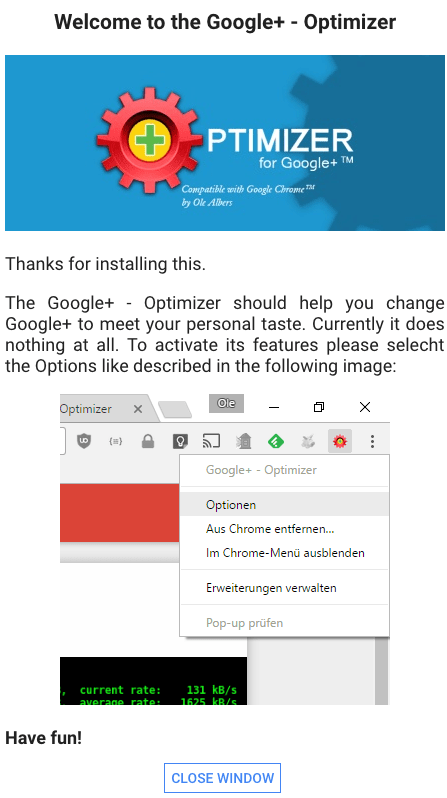
The first time you open a page on plus.google.com, you see this:
Then when you post a removable information bar:
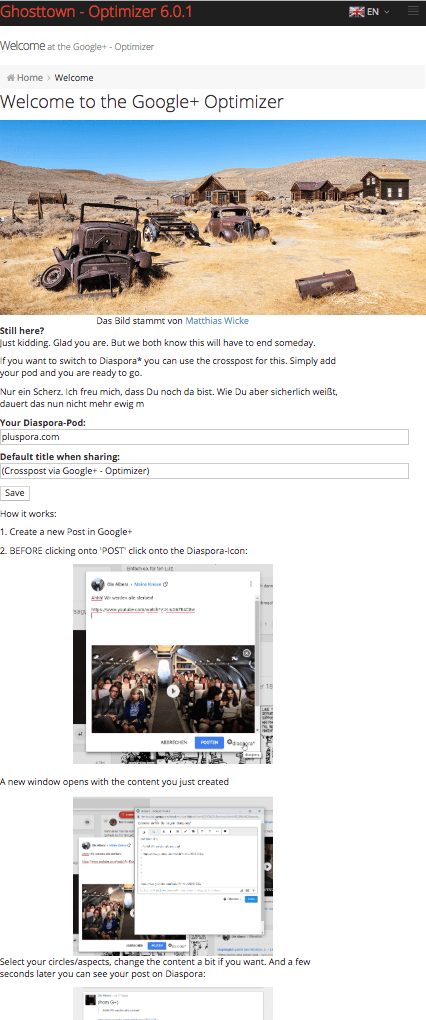
That directs you to the configuration (either right click the icon, or follow http://hurz.me/gplusoptimizer), where in the main item, you can enter your diaspora host (in my case pluspora) information:
De afstandbediening is wel even wennen in gebruik, maar als je een oude Samsung afstandbediening hebt liggen werkt dit op deze tv en kun je dus de nummertoetsen gebruiken bij het zappen ;)
Nieuwere @Samsung_NL TVs gebruiken de OneRemote (soms ook Smart Remote genoemd) model BN59-01241A. Werken op die TVs ook de klassieke remotes zoals N59-01223A die met oudere TVs werden meegeleverd?




 The Wiert Corner - irregular stream of stuff