Archive for the ‘Visual Studio and tools’ Category
Posted by jpluimers on 2025/05/01
Oops, I thought this had been published a long time ago, but oh well: it is never too late to publish reflections on a C# programming language improvement.
After recovering from my rectum cancer treatments and finally upgrading most of my projects to recent enough C# versions, it was time to catch up on useful little C# language features released during my treatments.
This one is really nice: [Wayback/Archive] File scoped namespaces – C# 10.0 draft specifications | Microsoft Learn.
I wish it had been released much earlier, as it so much reminds me of the unit keyword in Delphi which influenced C# a lot. Well, actually the unit actually started in UCSD Pascal and Turbo Pascal; UCSD Pascal ran on the UCSD p-Machine (more on that in a future blog post), which influenced the Java Virtual Machine, which was based on Java bytecode and a Just-in-time compiler in turn influenced the .NET Common Language Runtime.
There are many examples from other languages, paradigms and frameworks: I love how C# and .NET bring so much programming history together.
In Delphi it is easy: a source file can contain at maximum one unit (and apart from files included in that source file, no other source files can contribute to that unit) and the filename needs to match the unitname, so the unit is a self contained namespace.
Read the rest of this entry »
Posted in .NET, About, C#, C# 10, Cancer, Delphi, Development, Java, Java Platform, Jon Skeet, Pascal, Personal, Rectum cancer, Rider from JetBrains, Software Development, Turbo Pascal, UCSD Pascal, Visual Studio and tools, vscode Visual Studio Code | Tagged: 1509, 35690, 36566, 44201, msbuild, region | Leave a Comment »
Posted by jpluimers on 2025/02/19
Last week, I wrote that I switched to Visual Studio Code for most of my text based coding: Visual Studio Code: blazingly fast text expansion with Emmet.
I also use vscode for documentation and text writing, which – yes sometimes I am a copy/paste person too – means you want a bit more flexibility than just copying the selected text.
In most of my previous development tools, either the tool itself, or a plugin, would allow me to copy the word under the cursor if none was selected.
I wanted to change that behaviour too and become more flexible.
So I did some searches:
Read the rest of this entry »
Posted in .NET, Conference Topics, Conferences, Development, Event, Keyboards and Keyboard Shortcuts, KVM keyboard/video/mouse, Lightweight markup language, MarkDown, Power User, Software Development, Visual Studio and tools, vscode Visual Studio Code | Leave a Comment »
Posted by jpluimers on 2024/10/15
A while ago I downloaded some internal tooling that required vcredist140.dll (and related DLLs).
From the name you cannot see if that is a 32-bit (x86) or 64-bit (x64) dependency so you often have to trial and error to figure out which one you need.
I adopted some winget package install command-lines with package IDs current at the time of writing this blog post; similar should be available at the time of publication:
Read the rest of this entry »
Posted in .NET, C++, Development, Software Development, Visual Studio 2015, Visual Studio 2017, Visual Studio 2019, Visual Studio 2022, Visual Studio and tools, Visual Studio C++ | Leave a Comment »
Posted by jpluimers on 2024/03/28
A while back, early in the Wednesday morning after Patch Tuesday I performed regular updates of all the systems noticing some updates failed because timeouts on the Microsoft download servers.
Note I perform the manual steps on Wednesday as Patch Tuesday as it starts at 10:00 AM PST which is in the evening in Amsterdam. The automated steps are automated and kick in when Microsoft tells the Windows machines to update themselves.
See [Wayback/Archive] Security Update Guide FAQs
Microsoft schedules the release of security updates on “Patch Tuesday,” the second Tuesday of each month at 10:00 AM PST.
Depending on time zone(s) in which the organization operates, IT pros should plan their deployment schedules accordingly. Please note that there are some products that do not follow the Patch Tuesday schedule.
I posted a gist and a Tweet, but didn’t immediately thought of a good resolution so I postponed that until Thursday and found it:
Read the rest of this entry »
Posted in C, C++, Development, Power User, Software Development, Visual Studio and tools, Visual Studio C++, vscode Visual Studio Code, Windows, Windows Development | Leave a Comment »
Posted by jpluimers on 2023/08/08
Via Jan Gentleman, I learned
- about the Ctrl+⇧ Shift+⊞ Win+B shortcut on Windows 10 and 11 that restarts starts video driver
- that documentation is in [Wayback/Archive] Troubleshoot black screen or blank screen errors as
Action 1: Try a Windows Key sequence to wake the screen.
If you’re using a device with a keyboard connected to it, select Windows logo key + Ctrl + Shift + B. If you’re in tablet mode, press the volume-up and volume-down buttons simultaneously three times within two seconds. If Windows is responsive, a short beep will sound and the screen will blink or dim while Windows attempts to refresh the screen.
Via:
Later I found out it also is in Table of keyboard shortcuts – Wikipedia: General shortcuts
| Restart Video Driver |
Windows 10: Ctrl+⇧ Shift+⊞ Win+B[2][3] |
Also I learned how people order the modifier keys is varying.
–jeroen
Posted in .NET, Development, Power User, Software Development, Visual Studio and tools, Windows, Windows 10, Windows 11 | Leave a Comment »
Posted by jpluimers on 2022/09/21
I totally missed that in 2019, the F2 key was enabled to rename HTML tags, but it does: [Wayback/Archive.is] Select matching element/rename HTML tag in Visual Studio Code – Stack Overflow:
HTML rename tags
You can now use F2 to rename the opening/closing tag pairs in HTML.
F2 when the cursor is over one of the tags and you will get a little input box with the cursor to input the new tag name and the start/end tags will be replaced with whatever you type upon .
[Wayback/Archive.is] Another answer indicates that even more recently, Linked Editing can do the same without even pressing F2. Too bad it is not enabled by default:
No need for extension, this is now cooked into VSCode.
"editor.linkedEditing": true
–jeroen
Posted in .NET, Development, HTML, Software Development, Visual Studio and tools, vscode Visual Studio Code, Web Development | Leave a Comment »
Posted by jpluimers on 2022/09/15
I come from a background of Delphi, Visual Studio and Notepad++ editors that historically have expanded their functionality over decades of releases.
When switching much of my development to Visual Studio Code, which out of the box aims at basic support (which has grown remarkably over the years so it’s way beyond basic now), I decided to review my editing behaviours see if plugins (in vscode speak “extensions marketplace“) would assist me with that.
One of my behaviours I wanted to get rid of is heavily use of keyboard macros, so when doing more web-stuff, I bumped into Emmet (that in the past was called Zen Code).
I bumped into Emmet because I wanted to refactor quite a few bits of html, and embed many sections of text in tags. Normally I would have written a macro for that, but now I did a quick [Wayback/Archive.is] vscode html embed text in element – Google Search and bumped into [Wayback/Archive.is] html – How to do tag wrapping in VS code? – Stack Overflow (thanks [Wayback/Archive.is] Alex!)
Since Visual Studio Code has built-in support for Emmet, here are some links so I can quickly find them back:
Hopefully I will now also less rely on user-defined snippets, though they are still available: [Wayback/Archive.is] Snippets in Visual Studio Code
Using Emmet eventually might help me in my blog-writing too, which still is heavily WordPress.com, known for its limited editor, based.
Apparently, my Google Search fu still is good enough to find these kinds of gems (:
–jeroen
Posted in .NET, CSS, Development, HTML, HTML5, Software Development, Visual Studio and tools, vscode Visual Studio Code, Web Development | Leave a Comment »
Posted by jpluimers on 2022/06/22
A very short review:
I found the above doing a search after visiting the below to links:
–jeroen
Posted in .NET, Development, Software Development, Visual Studio and tools, vscode Visual Studio Code | Leave a Comment »
Posted by jpluimers on 2022/06/16
Adapted from [Archive.is] How can you export the Visual Studio Code extension list? – Stack Overflow, presuming that code is on the PATH:
- From the command-line interface on MacOS, Linux, BSD or on Windows with
git installed:
code --list-extensions | xargs -L 1 echo code --install-extension
- From the command-line interface on MacOS, Linux, BSD or on Windows without
git installed:
code --list-extensions | % { "code --install-extension $_" }
or, as I think, more clearly (see also [WayBack] syntax – What does “%” (percent) do in PowerShell? – Stack Overflow):
code --list-extensions | foreach { "code --install-extension $_" }
or even more explanatory:
code --list-extensions | ForEach-Object { "code --install-extension $_" }
- From the command-line interface on Windows as a plain
cmd.exe command:
@for /f %l in ('code --list-extensions') do @echo code --install-extension %l
- On Windows as a plain
cmd.exe batch file (in a .bat/.cmd script):
@for /f %%l in ('code --list-extensions') do @echo code --install-extension %%l
- The above two on Windows can also be done using PowerShell:
PowerShell -Command "code --list-extensions | % { """""code --install-extension $_""""" }"
Note that here too, the % can be expanded into foreach or ForEach-Object for clarity.
All of the above prepend “code --install-extension ” (note the trailing space) before each installed Visual Studio Code extension.
They all give you a list like this which you can execute on any machine having Visual Studio Code installed and its code on the PATH, and a working internet connection:
code --install-extension DavidAnson.vscode-markdownlint
code --install-extension ms-vscode.powershell
code --install-extension yzhang.markdown-all-in-onex
(This is about the minimum install for me to edit markdown documents and do useful things with PowerShell).
Of course you can pipe these to a text-file script to execute them later on.
The double-quote escaping is based on [Wayback/Archive.is] How to escape PowerShell double quotes from a .bat file – Stack Overflow:
you need to escape the " on the command line, inside a double quoted string. From my testing, the only thing that seems to work is quadruple double quotes """" inside the quoted parameter:
powershell.exe -command "echo '""""X""""'"
Via: [Archive.is] how to save your visual studio code extension list – Google Search
--jeroen
Posted in *nix, *nix-tools, .NET, bash, Batch-Files, CommandLine, Console (command prompt window), Development, Mac OS X / OS X / MacOS, Power User, PowerShell, PowerShell, Software Development, Visual Studio and tools, vscode Visual Studio Code, Windows, Windows 10, Windows 7, Windows 8, Windows 8.1, Windows Development, Windows Server 2008, Windows Server 2008 R2, Windows Server 2012, Windows Server 2012 R2, Windows Server 2016, WSL Windows Subsystem for Linux, xargs | Leave a Comment »
Posted by jpluimers on 2021/10/04
From a while back: [Archive.is] Jeroen Wiert Pluimers on Twitter: ‘Answering Yes to “You have an older version of PackageManagement known to cause issues with the PowerShell extension. Would you like to update PackageManagement (You will need to restart the PowerShell extension after)?” hung my Visual Studio Code.… ‘

After clicking “Yes”, the the only thing visible was this notification that had an ever running “progress bar”:
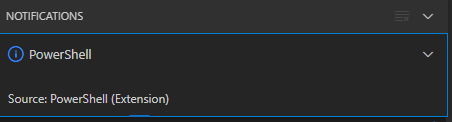
Notifications – Powershell – Source: Powershell (Extension)
The first part of the solution was relatively simple: restart Visual Studio code, then the original notification showed, and after clicking “Yes”, the “Panel” (you can toggle it with Ctrl+J) showed the “Terminal” output (yes, I was working on [Wayback/Archive.is] PowerShell script for sending Wake-on-LAN magic packets to given machine hardware MAC address, more about that later):
Read the rest of this entry »
Posted in .NET, Communications Development, Development, Encryption, HTTP, HTTPS/TLS security, Internet protocol suite, Power User, Security, Software Development, TCP, Visual Studio and tools, vscode Visual Studio Code, Windows, Windows 10 | Leave a Comment »


 The Wiert Corner - irregular stream of stuff