Archive for the ‘Google’ Category
Posted by jpluimers on 2022/02/21
It took a few tries to Google how to sync folders that were shared after roughly fall 2020 (folders shared with me before that were totally fine), but [Wayback] drive google shared with me – Google Search got me the below answer.
From [Wayback/Archive.is] Google completely ruined shared folders in Drive (Update: Workaround, Google shares longterm plan):
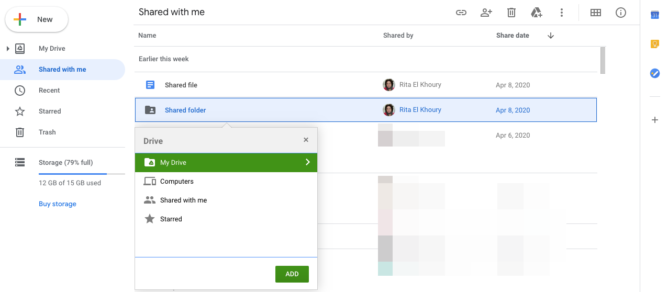
you can still move shared files and folders to your Drive, even on the web (no need for the Android app), but the option is hidden behind a keyboard shortcut. Go to your Shared with me section, highlight the shared files or folders you want to move, and type Shift+Z on your keyboard. You’ll see the old move menu and can choose where to put those folders. On your PC, they’ll sync and behave like they used to, no shortcut mess. More info can be found here, and you can always type ? in Drive to bring up the list of keyboard shortcuts if you forget this one.

Finally, Remy revealed that the Drive team will “keep this behavior [Shift+Z] around for folders until we have a solid solution to sync shared folders.” I think that helps appease our collective fears about the change.
From the page linked at [Wayback] Find files & folders with Google Drive shortcuts – Computer – Google Drive Help:
Shortcuts can sync across your devices, including computers and smartphones. But when you use Backup and Sync to connect with a computer, there are some differences. The shortcuts you made to individual files will sync up with the file as normal. But the shortcuts you made to shared folders will just link to the folder on the Google Drive website.
Try these alternatives:
- Instead of a shortcut, add the folder to an additional location. On the Google Drive website, select the folder and press Shift + Z.
- Add shortcuts to individual files within the shared folder (and not to the shared folder itself).
- If you’re a Google Workspace user, learn more about Drive File Stream.
–jeroen
Posted in Google, GoogleDrive, Power User | Leave a Comment »
Posted by jpluimers on 2022/01/20
For quite some time now, Chrome (think years) refuses to prompt for saving passwords whereas Firefox and Safari do prompt and save them, even for site types that it used to save passwords for in the past.
It has been annoying enough for too long now that I tried to do better than the Google searches I used back when I saw this happen first.
Below are some links based on new searches (starting with [Wayback] adding a password in chrome settings – Google Search); hopefully I can try them after I made a list of sites that Chrome does not show the password save prompt for.
Solutions I tried that failed (but maybe useful for others):
Solutions still to try:
Read the rest of this entry »
Posted in Chrome, Chrome, Communications Development, Development, Encryption, ESXi6, ESXi6.5, ESXi6.7, Firefox, Fritz!, Fritz!Box, Fritz!WLAN, Google, https, HTTPS/TLS security, Internet, Internet protocol suite, Let's Encrypt (letsencrypt/certbot), Power User, routers, Safari, Security, TCP, TLS, Virtualization, VMware, VMware ESXi, Web Browsers, Web Development | Leave a Comment »
Posted by jpluimers on 2022/01/14
If use the Chrome web browser, it’s fairly likely you will find Chrome autofill suggestions recommending things for various forms and text entry points. Sometimes those autofill suggestions c…
[Wayback] How to Delete Specific Chrome Autofill Suggestions
Most important are the steps:
- Open the related website which has a form entry where autofill suggestions appear
- Start typing so that the suggestion shows up as an option in Chrome
- Using the keyboard arrows, navigate down the suggestion list to the item(s) you want to remove from the Chrome autofill suggestions
- With the suggestion highlighted, use the appropriate keystroke sequence to delete the Chrome suggestion:
- Mac:
Shift + FN + Delete
- Windows:
Shift + Delete
- Chromebook / Chrome OS:
Alt + Shift + Delete
- Repeat with other suggestions to delete if desired
Via: [WayBack] edit google chrome autocomplete list – Google Search
–jeroen
Posted in Chrome, Chrome, Google, Power User, Web Browsers | Leave a Comment »
Posted by jpluimers on 2022/01/14
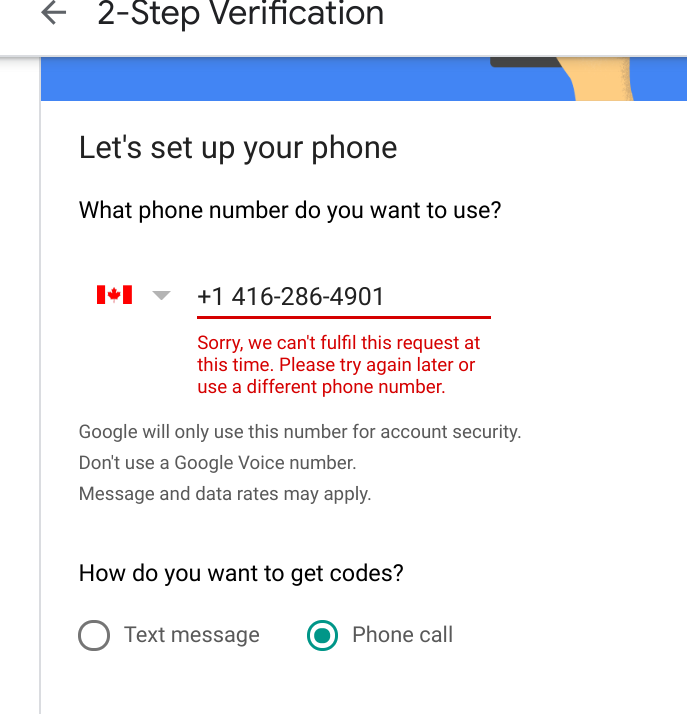
A while ago while first securing a bunch of accounts with a phone number, then later replacing them with 2FA hardware, I got this error message:
Sorry, we can’t fulfill this request at this time. Please try again later or use a different phone number.
This seems to have to do with the fact that if have gotten about 10 2FA messages a day, then it cannot be used to add a new phone number to an account. The phone number still can be used to verify existing accounts where the phone number was already registered.
Retrying after 24 hours usually works.
Related:
–jeroen
Posted in Google, GoogleAccount, Power User | Leave a Comment »
Posted by jpluimers on 2022/01/05
TL;DR: recurrence in Google Calendar can be tough.
Adding a yearly repeating event on a last weekday (where weekday is any day of the week: sunday, monday, etc) of a month in Google Calendar was a lot less obvious than I hoped for.
The easiest path “Custom Event” by default does not show last/#th/first, only a fixed date when selecting yearly or monthly repeating events, which is contrary to the suggested answer at [Wayback/Archive.is] Google calendar question: How to set an event to repeat on the first Monday of a specific Month : google:
Create an event on September 3rd. Choose custom recurrence. Repeat every 12 months monthly on the first Monday. I just tested that out on the browser version of Google calendar
The trick is to first select a normally repeating monthly event on the last#th/first weekday day of a month.
Note that for the 5th week, you cannot do this in the Google Calendar UI as per [Wayback] google calendar – Schedule an event for last Sunday (or another day of week) of each month – Web Applications Stack Exchange:
If you actually want a day on the 5th week of every month (versus the last week), the Google Calendar UI does not support this, but you can do it by importing an .ics file
Below is an example while writing this: adding a yearly recurring event on the last Sunday of May (which in 2021 was Sunday the 30th of May).
These are the steps:
Read the rest of this entry »
Posted in Google, GoogleCalendar, LifeHacker, Power User | Leave a Comment »
Posted by jpluimers on 2021/12/29
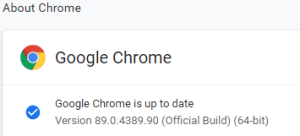
This option in Chrome has moved around a bit, so here is how it was in Version 89.0.4389.90 (Official Build) (64-bit) when I documented it.


- Browse to
chrome://discards/
- Don’t be intimidated by the many rows and columns; only the rightmost 8 (at the time of writing) are interesting:

- Search for the URL (in my chase
https://web.whatsapp.com/ , so I searched for whatsapp which you see as orange in the screenshots below) for which you want to ensure it will never sleep/hibernate (Chrome calls this “discardable”)

- Click
Toggle under the checkmark ✔ so it changes into a cross ✘️ (so the URL will never be discarded, hence always stays awake)

Do this only for tabs that are not CPU/memory/traffic intensive
I got there via these posts:
When searching for discards, I found this post: [Wayback] How to Prevent Chrome from Reloading Tabs When You Switch to Them
Chrome has built-in memory management that causes inactive tabs to “sleep” as RAM is filled. When you click the tab again, it has to reload the page. It’s annoying.
–jeroen
Posted in Chrome, Development, Google, Power User, SocialMedia, Software Development, Web Development, WhatsApp | Leave a Comment »
Posted by jpluimers on 2021/12/08
Some sites manage to disable various printing options (including layout, so you cannot choose between landscape and portrait any more, or force landscape when portrait works better or vice versa).
Googling this got me into a web of things that didn’t help me (see links below), but those led me to this query [Wayback] chrome save as pdf layout missing portrait landscape – Google Search.
That returned a helpful result at [Archive.is/Wayback] Chrome Print dialogue not offering fit to page, landscape, other printing options – Google Chrome Community:
I found a solution.
1. Install the
Stylus Extension.
2. Go into the Stylus extension and click on “Write new style”.
3. Put the following code in:
@page {
size: auto;
}
4. Give it a name (I called mine “Fix Orientation”) and save it.
5. Reload the page you’re trying to print and the print dialogue should now have the “Layout” option and you should always get it for any page you print from now on.
It’s about the extension [Archive.is] Stylus – Chrome Web Store
Redesign the web with Stylus, a user styles manager. Stylus allows you to easily install themes and skins for many popular sites.
I reconfigured the OHRA Mijn Zorg site to force re-enabling of layout by adding @page { size: auto !important; } for https://mijn.ohrazv.nl/ (click the Save button to save this change permanently):
Read the rest of this entry »
Posted in Chrome, CSS, Development, Google, HTML, Power User, Software Development, Web Development | Leave a Comment »
Posted by jpluimers on 2021/11/12
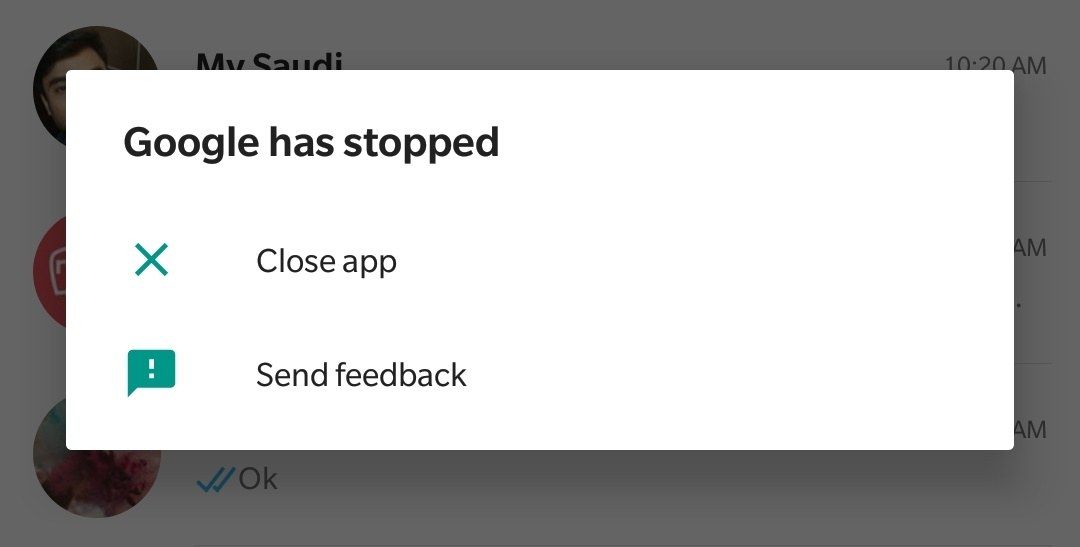
I got the Dutch message “Google is gestopt” on an older Android device which translates to the below English error message “Google has stopped”.
Below is the solution based on [WayBack] Google is stopped – OnePlus Community

- Go to “Settings”
- In “Settings” go to “Apps”
- In the application list, browse to “Google”
- Uninstall all updates (sometimes this is under the hamburger or 3-dot icon)
- Confirm
- Start the Google Play Store
- Update the “Google” application
Related:
–jeroen
Read the rest of this entry »
Posted in Android, Android Devices, Development, Google, Mobile Development, OnePlus One, OnePlus Two, Power User | Leave a Comment »
Posted by jpluimers on 2021/11/09
Posted in Development, Excel, Google, GoogleDocs, GoogleSheets, Office, Office Automation, Office VBA, Power User, Scripting, Software Development | Leave a Comment »
Posted by jpluimers on 2021/10/05
This is from almost 2 years back, so I wonder if the physical and virtual Google Maps spoofing still works.
Via:
–jeroen
Read the rest of this entry »
Posted in Android, Development, Google, GoogleMaps, Mobile Development, Power User, Software Development | Leave a Comment »