The Wiert Corner – irregular stream of stuff

Jeroen W. Pluimers on .NET, C#, Delphi, databases, and personal interests

  • My badges

  • Twitter Updates

  • My Flickr Stream

  • Pages

  • All categories

  • Enter your email address to subscribe to this blog and receive notifications of new posts by email.

    Join 1,860 other subscribers

Archive for the ‘.NET’ Category

.NET: XML escaping a string

Posted by jpluimers on 2022/02/15

[Wayback] WILT: XML encode a string in .net « Benoit MARTIN’s Weblog:

Always wondered why I couldn’t find a method that would XML encode a string, effectively escaping the 5 illegal characters for XML. There is such a method but its location in the API is not intuitive at all. It’s in the System.Security namespace: [Wayback] SecurityElement.Escape(String) Method (System.Security) | Microsoft Docs

public static string? Escape (string? str);

Its usage is:

   tagText = System.Security.SecurityElement.Escape(tagText);

This will escape the 5 characters <, >, &, " and '

–jeroen

Posted in .NET, Development, Encoding, Software Development, XML, XML escapes, XML/XSD | Leave a Comment »

Happy 20th Anniversary, .NET!

Posted by jpluimers on 2022/02/13

I almost missed this: [Wayback/Archive] Happy 20th Anniversary, .NET! – .NET Blog.

Given I am still recovering from the long period of cancer treatments, I am glad that Beth Massi reminded me (a “thank you” is below the signature):

https://twitter.com/BethMassi/status/1492893829535514634

To keep the story about myself short: currently I am cancer free, long term (i.e. 10 years) looks dim, but my mental focus has recovered and I am getting joy again doing technical stuff. I am still working on the increasing my mental and physical endurance, so real work is not yet possible but unlike half a year ago, I am confident I will be able to eventually.

Back to the .NET story (as I have learned when to conserve energy): I kept track of Anders Hejlsberg ever since Turbo Pascal 1.0 on CP/M (see The calculators that got me into programming (via: calculators : Algorithms for the masses – julian m bucknall)) and when after the Visual J++ lawsuits things a first got a bit too silent to my liking.

Read the rest of this entry »

Posted in .NET, .NET 1.x, About, Conferences, DevDays09, Development, Event, History, Pascal, Personal, Software Development, Turbo Pascal, Visual J++ | Leave a Comment »

pipe – Windows how to redirect file parameter to stdout? (Windows equivalent of `/dev/stdout`) – Super User

Posted by jpluimers on 2022/02/02

TL;DR:

  • Windows has CON: which is an equivalent for /dev/tty
  • Windows has no equivalent for /dev/stdout (the standard output stream)
  • There is a C# PipeServer.cs proof-of-concept that allows to simulate /dev/stdout through a temporary named pipe
  • Windows pipe names start with \\.\pipe\ for names on the local machine
  • The above for /dev/stdout on Windows also holds for /dev/stdin (the standard input stream)

All via [Wayback] pipe – Windows how to redirect file parameter to stdout? (Windows equivalent of /dev/stdout) – Super User.

Read the rest of this entry »

Posted in .NET, C#, Development, Software Development, Windows Development | Leave a Comment »

When floating point code suddenly becomes orders magnitudes slower (via C++ – Why does changing 0.1f to 0 slow down performance by 10x? – Stack Overflow)

Posted by jpluimers on 2022/01/26

When working with converging algorithms, sometimes floating code can become very slow. That is: orders of magnitude slower than you would expect.

A very interesting answer to [Wayback] c++ – Why does changing 0.1f to 0 slow down performance by 10x? – Stack Overflow.

I’ve only quoted a few bits, read the full question and answer for more background information.

Welcome to the world of denormalized floating-point! They can wreak havoc on performance!!!

Denormal (or subnormal) numbers are kind of a hack to get some extra values very close to zero out of the floating point representation. Operations on denormalized floating-point can be tens to hundreds of times slower than on normalized floating-point. This is because many processors can’t handle them directly and must trap and resolve them using microcode.

If you print out the numbers after 10,000 iterations, you will see that they have converged to different values depending on whether 0 or 0.1 is used.

Basically, the convergence uses some values closer to zero than a normal floating point representation dan store, so a trick is used called “denormal numbers or denormalized numbers (now often called subnormal numbers)” as described in Denormal number – Wikipedia:

In a normal floating-point value, there are no leading zeros in the significand; rather, leading zeros are removed by adjusting the exponent (for example, the number 0.0123 would be written as 1.23 × 10⁻²). Denormal numbers are numbers where this representation would result in an exponent that is below the smallest representable exponent (the exponent usually having a limited range). Such numbers are represented using leading zeros in the significand.

Since a denormal number is a boundary case, many processors do not optimise for this.

–jeroen

Posted in .NET, Algorithms, ARM, Assembly Language, C, C#, C++, Delphi, Development, Software Development, x64, x86 | Leave a Comment »

Delphi: workaround doing math with generic types preventing “E2015 Operator not applicable to this operand type” with TValue (as there is no way to constraint the generic type to be floating point or ordinal)

Posted by jpluimers on 2021/12/14

A while ago on Facebook (it’s a private group, so you cannot see the posts unless you both have a Facebook account and are member of the group), [Archive.is] Niels Tjørnhøj-Thomsen (coming from a C++ templates background) asked why the below method would throw a E2015 Operator not applicable to this operand type in the complex expression:

function TAxis<t>.Calc(const AScalar: T): single;
begin
  Result := fStart + ( ( ( AScalar - fMin ) / fRange ) * fExtent );
end;

The type itself was very simple:

TAxis<T> = record
  fMin, fMax, fRange: T;
  fStart, fEnd, fExtent: single;
  function Calc( const AScalar: T ): single;
end;

He used these small example specialisations that put me on the wrong foot, as the order was TDateTime followed by single:

var
  rXAxis: TAxis<TDateTime>;
  rYAxis: TAxis<single>;

So at first I thought this might be caused by TDateTime to be defined in the System unit as a typed type:

type
  TDateTime = type Double;

It wasn’t.

Splitting the code in 4 lines with assignments of single expression operations would make the error appear in all expressions.

Casting parts of the expression to simple would not help either.

A small test program [Archive.is] might put you, like me, on the wrong foot because the specialisation is in the same source file as the generic type:

program DelphiMathAndGenerics;

type
  TAxis<T> = record
    fMin, fMax, fRange: T;
    fStart, fEnd, fExtent: single;
    function CalcCasted( const AScalar: T ): single;
    function CalcPlain( const AScalar: T ): single;
  end;

function TAxis<T>.CalcCasted(const AScalar: T): single;
var
  Offset: single;
  NormalisedOffset: single;
  ScaledOffset: single;
begin
  // First 2 lines give the same error: E2089 Invalid typecast
  Offset := single(AScalar) - fMin;
  NormalisedOffset := Offset / single(fRange);
  ScaledOffset := NormalisedOffset * fExtent;
  Result := fStart + ScaledOffset;
end;

function TAxis<T>.CalcPlain(const AScalar: T): single;
var
  Offset: T;
  NormalisedOffset: T;
  ScaledOffset: T;
begin
  // All 4 lines give the same error: E2015 Operator not applicable to this operand type
  Offset := AScalar - fMin;
  NormalisedOffset := Offset / fRange;
  ScaledOffset := NormalisedOffset * fExtent;
  Result := fStart + ScaledOffset;
end;

var
  rXAxis: TAxis<TDateTime>;
  rYAxis: TAxis<single>;

begin
end.

Splitting this in two files [Archive.is], a AxisUnit unit having only the TAxis<T> type, and a main program (even without having the specialisations) shows that even the unit itself would not compile.

This shows a major difference between Delphi (and similar C#) generics and C++ templates:

  • generics are compiled and fully verified at the generic stage
  • templates are pre-processed, then finally verified at specialisation stage

A solution would be that Delphi could constraint the generic type T into something like float or ordinal so the compiler would know that more operators are allowed in the code. But alas, Delphi – like C# – has a very limited number of constraints (C# only would allow a constraint for enumerations in version 7.3): Delphi Constraints in Generics – RAD Studio XE documentation wiki.

This StackOverflow question is very similar, and has the same answer (generics in Delphi work differently than templates in C++): [Source] templates – Arithmetic operations with generic types in Delphi – Stack Overflow

I’m new in Delphi. For a project required by my company, I need to translate some code from our existing C++ classes to Delphi. Some of these classes are templates, such …

Workaround: use the TValue.From<T>() function

There is a workaround though, but it is slow, as you need to convert from the generic T type to the actual (in this case floating point) type you can apply the operators on.

This is possible with the (Delphi 2010 introduced) TValue.From<T>() method which returns a TValue record. That TValue record has instance methods like AsExtended to extract or convert the embedded value as a specific type.

Initially, [Wayback] Delphi 2010 Rtti.TValue documentation had the From method signature wrong, maybe because of many wiki and blog HTML editors kill angle bracket pairs < and > in code blocks:

function From(const Value: T): TValue; static;

Since the [Wayback] Delphi XE System.Rtti.TValue documentation, the From method signature is fixed (see the bold parts):

class function From<T>(const Value: T): TValue; static;

With the [Wayback] Delphi XE2 Rtti.TValue documentation, the unit got renamed from Rtti into System.Rtti and has not changed further.

When using TValue.From<T>(), the AxisUnit becomes this:

unit AxisUnit;

interface

type
  TAxis<T> = record
    fMin, fMax, fRange: T;
    fStart, fEnd, fExtent: single;
    function Calc( const AScalar: T ): single;
  strict private
    function AsSingle(const Value: T): single;
  end;

implementation

uses
  System.Rtti;

function TAxis<T>.AsSingle(const Value: T): single;
begin
  Result := TValue.From<T>(Value).AsExtended
end;

function TAxis<T>.Calc(const AScalar: T): single;
var
  Offset: single;
  NormalisedOffset: single;
  ScaledOffset: single;
begin
  Offset := AsSingle(AScalar) - AsSingle(fMin);
  NormalisedOffset := Offset / AsSingle(fRange);
  ScaledOffset := NormalisedOffset * fExtent;
  Result := fStart + ScaledOffset;
end;

end.

–jeroen

Read the rest of this entry »

Posted in .NET, C#, Conference Topics, Conferences, Delphi, Development, Event, Software Development | Leave a Comment »

Some links on embedding browsers on Linux using .NET

Posted by jpluimers on 2021/11/03

For my research list. Links thanks to Matthijs ter Woord.

–jeroen

Posted in .NET, Development, Power User, Software Development, Web Browsers | Leave a Comment »

BEHIND THE CODE: The one who created languages – YouTube

Posted by jpluimers on 2021/10/13

Anders Hejlsberg: software legend.

–jeroen

Posted in .NET, C#, Development, Pascal, Software Development, Turbo Pascal, TypeScript | Leave a Comment »

Constructing Suffix Trees: Ukkonen’s algorithm – Wikipedia

Posted by jpluimers on 2021/10/12

For my link archive:

I also need to check out [WayBack] Martin Farach-Colton – Wikipedia, as his algorithm is likely more optimised and more versatile.

–jeroen

Read the rest of this entry »

Posted in .NET, Algorithms, C#, Development, JavaScript/ECMAScript, Ruby, Scripting, Software Development | Leave a Comment »

Solved: ‘Answering Yes to “You have an older version of PackageManagement known to cause issues with the PowerShell extension. Would you like to update PackageManagement (You will need to restart the PowerShell extension after)?” hung my Visual Studio Code.…’

Posted by jpluimers on 2021/10/04

From a while back: [Archive.is] Jeroen Wiert Pluimers on Twitter: ‘Answering Yes to “You have an older version of PackageManagement known to cause issues with the PowerShell extension. Would you like to update PackageManagement (You will need to restart the PowerShell extension after)?” hung my Visual Studio Code.… ‘

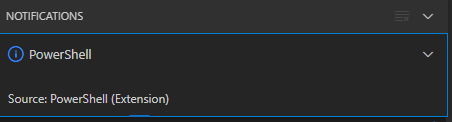
After clicking “Yes”, the the only thing visible was this notification that had an ever running “progress bar”:

Notifications - Powershell - Source: Powershell (Extension)

Notifications – Powershell – Source: Powershell (Extension)

The first part of the solution was relatively simple: restart Visual Studio code, then the original notification showed, and after clicking “Yes”, the “Panel” (you can toggle it with Ctrl+J) showed the “Terminal” output (yes, I was working on [Wayback/Archive.is] PowerShell script for sending Wake-on-LAN magic packets to given machine hardware MAC address, more about that later):

Read the rest of this entry »

Posted in .NET, Communications Development, Development, Encryption, HTTP, HTTPS/TLS security, Internet protocol suite, Power User, Security, Software Development, TCP, Visual Studio and tools, vscode Visual Studio Code, Windows, Windows 10 | Leave a Comment »

PowerShell error in a script but not on the console: The string is missing the terminator: “.

Posted by jpluimers on 2021/09/29

The below one will fail in a script, both both work from the PowerShell prompt:

Success

Get-NetFirewallRule -DisplayGroup "File and Printer Sharing" | ForEach-Object { Write-Host $_.DisplayName ; Get-NetFirewallAddressFilter -AssociatedNetFirewallRule $_ }

Failure

Get-NetFirewallRule –DisplayGroup "File and Printer Sharing" | ForEach-Object { Write-Host $_.DisplayName ; Get-NetFirewallAddressFilter -AssociatedNetFirewallRule $_ }

The error you get this this:

At C:\bin\Show-File-and-Printer-Sharing-firewall-rules.ps1:5 char:52
+ ... -TCP-NoScope" | ForEach-Object { Write-Host $_.DisplayName ; Get-NetF ...
+                 ~~~~~~~~~~~~~~~~~~~~~~~~~~~~~~~~~~~~~~~~~~~~~~~~~~~~~~~~~
The string is missing the terminator: ".
    + CategoryInfo          : ParserError: (:) [], ParentContainsErrorRecordException
    + FullyQualifiedErrorId : TerminatorExpectedAtEndOfString

Via [WayBack] script file ‘The string is missing the terminator: “.’ – Google Search, I quickly found these that stood out:

Cause and solution

Before DisplayGroup, the first line has a minus sign and the second an en-dash. You can see this via [WayBack] What Unicode character is this ?.

Apparently, when using Unicode on the console, it does not matter if you have a minus sign (-), en-dash (–), em-dash (—) or horizontal bar (―) as dash character. You can see this in [WayBack] tokenizer.cs at function [WayBack] NextToken and [WayBack] CharTraits.cs at function [WayBack] IsChar).

When saving to a non-Unicode file, it does matter, even though it does not display as garbage in the error message.

Similarly, PowerShell has support for these special characters:

    internal static class SpecialChars
    {
        // Uncommon whitespace
        internal const char NoBreakSpace = (char)0x00a0;
        internal const char NextLine = (char)0x0085;

        // Special dashes
        internal const char EnDash = (char)0x2013;
        internal const char EmDash = (char)0x2014;
        internal const char HorizontalBar = (char)0x2015;

        // Special quotes
        internal const char QuoteSingleLeft = (char)0x2018; // left single quotation mark
        internal const char QuoteSingleRight = (char)0x2019; // right single quotation mark
        internal const char QuoteSingleBase = (char)0x201a; // single low-9 quotation mark
        internal const char QuoteReversed = (char)0x201b; // single high-reversed-9 quotation mark
        internal const char QuoteDoubleLeft = (char)0x201c; // left double quotation mark
        internal const char QuoteDoubleRight = (char)0x201d; // right double quotation mark
        internal const char QuoteLowDoubleLeft = (char)0x201E; // low double left quote used in german.
    }

The easiest solution is to use minus signs everywhere.

Another solution is to save files as Unicode UTF-8 encoding (preferred) or UTF-16 encoding (which I dislike).

–jeroen

Posted in .NET, CommandLine, Development, Encoding, PowerShell, PowerShell, Scripting, Software Development, Unicode, UTF-16, UTF-8, UTF16, UTF8 | Leave a Comment »