


SuperMicro iKVM and IPMI: not able to initiate “Virtual Media” -> “Virtual Storage”
Posted by jpluimers on 2021/05/24
I had something odd on one SuperMicro systeem:

The “Virtual Storage” menu item under “Virtual Media” was marked grey (gray?) as being unavailable.
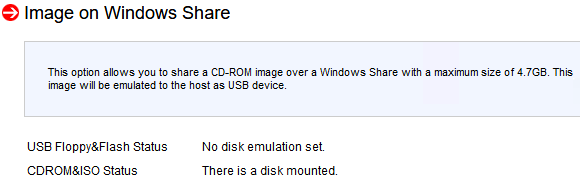
Despite that, no disk image was shown mounted according to the web interface at menu path “Virtual Media” -> “CD-ROM Image“:

Port settings were good though as seen in menu path “Configuration” -> “Port“:

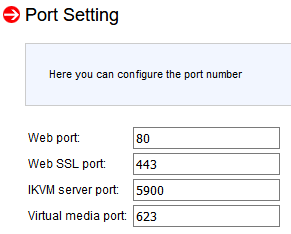
Even nmap did not show significant differences between the various systems (partial dump here; full dump below)
Discovered open port 443/tcp on 192.168.71.96
Discovered open port 5900/tcp on 192.168.71.96
Discovered open port 80/tcp on 192.168.71.96
Discovered open port 22/tcp on 192.168.71.96
Discovered open port 5985/tcp on 192.168.71.96
Discovered open port 623/tcp on 192.168.71.96
I use alias
alias nmap-fingerprint_host_all-ports-even-if-ping-fails='sudo nmap -O -v -A -p- -Pn'here as it usually gives best results for port scans on a single machine.
“Secret” setting
The secret is in a different menu entry under menu path “Maintenance” -> “IKVM reset“:
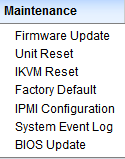
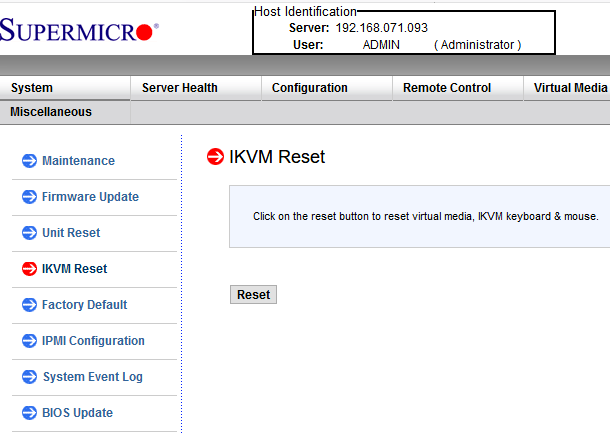
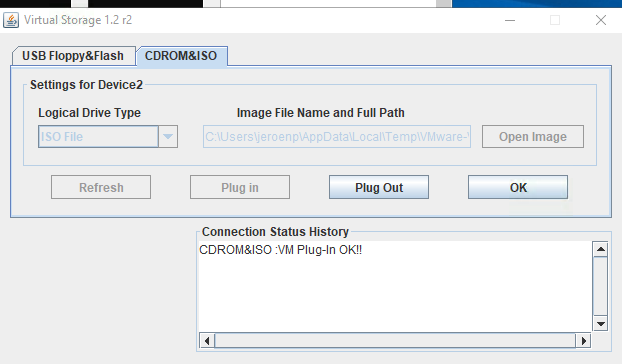
After pressing the Reset button, then restarting the iKVM client, “Virtual Media” -> “Virtual Storage” is nog grey any more, and just works:

Boot from IPMI device
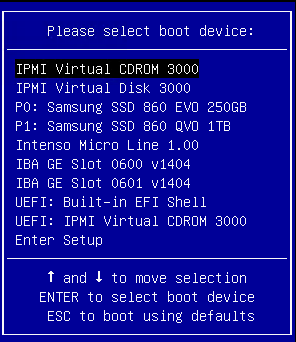
Now I could finally boot from the IPMI device; on the left the new boot list, on the right the old one (from When all your SuperMicro X9/X10/X11 IPMI sensors show N/A: the system is in a BIOS or boot selection screen):

–jeroen
https://gist.github.com/jpluimers/142c37f8bb83f664a32d50e5af40e3e6

Leave a Comment