The Wiert Corner – irregular stream of stuff

Jeroen W. Pluimers on .NET, C#, Delphi, databases, and personal interests

  • My badges

  • Twitter Updates

  • My Flickr Stream

  • Pages

  • All categories

  • Enter your email address to subscribe to this blog and receive notifications of new posts by email.

    Join 1,860 other subscribers

Archive for December, 2020

OutputDebugStringA limitation used to be close to 4K, but with OutputDebugStringW, what is the limitation?

Posted by jpluimers on 2020/12/31

I wonder what the limitation of OutputDebugStringW is, as OutputDebugStringA had a limit imposed by the DBWIN_BUFFER which was 4K (minus a bit overhead):

–jeroen

Posted in Development, Software Development, Windows Development | Leave a Comment »

Syncing your fork to the original repository via the browser · KirstieJane/STEMMRoleModels Wiki · GitHub

Posted by jpluimers on 2020/12/31

[WayBack] Syncing your fork to the original repository via the browser · KirstieJane/STEMMRoleModels Wiki · GitHub

TL;DR: you can do the sync from the Web UI, but it always gives you an extra merge commit.

–jeroen

Posted in Development, DVCS - Distributed Version Control, git, GitHub, LifeHacker, Power User, Source Code Management | Leave a Comment »

It pays to closely look to your coding

Posted by jpluimers on 2020/12/31

I like questions like [WayBack] How to check if parent menu item has “checked” child item? – VCL – Delphi-PRAXiS [en]

It means that the asker is closely looking at her or his coding.

This is important, as it helps to get your programming idioms consistent.

The code started out as:

function HasCheckedSubItems(AMenuItem: TMenuItem): Boolean;
var
  i: integer;
begin
  Result := False;
  for i := 0 to AMenuItem.Count - 1 do
    if AMenuItem.Items[i].Checked then
      Exit(True);
end;

and finally ended up as:

function HasCheckedSubItems(AMenuItem: TMenuItem): Boolean;
var
  I: integer;
begin
  for I := 0 to AMenuItem.Count - 1 do
    if AMenuItem.Items[I].Checked then
      Exit(True);
  Exit(False); 
end;

Which is close to what I’d use, no matter the Delphi version:

function HasCheckedSubItems(const AMenuItem: TMenuItem): Boolean;
var
  I: integer;
begin
  for I := 0 to AMenuItem.Count - 1 do
    if AMenuItem.Items[I].Checked then
    begin
      Result := True;
      Exit;
    end;
  Result := False;
end;

My argumentation for the last form is that assignment and jumps are too conceptually different to combine in one statement.

The second form moves just one assignment, which on the current scale of nanosecond execution might not sound much, but conceptually limits the assignment to once per function call.

If you are interested in more thoughts on this topic,

  1. read How to Design Early Returns in C++ (Based on Procedural Programming) – Fluent C++
  2. watch Procedural Programming: It’s Back? It Never Went Away – Kevlin Henney [ACCU 2018] – YouTube
  3. save the slides from [WayBack

–jeroen

Posted in Delphi, Development, Software Development | Leave a Comment »

A garbage collector for C and C++ (and a wrapper for Delphi): The Boehm-Demers-Weiser conservative C/C++ Garbage Collector

Posted by jpluimers on 2020/12/30

I bumped into [WayBackA garbage collector for C and C++ a while ago, for which the source is at [WayBack] GitHub – ivmai/bdwgc: The Boehm-Demers-Weiser conservative C/C++ Garbage Collector (libgc, bdwgc, boehm-gc).

There is a (very old!) wrapper for Delphi too: [WayBack] 21646 API for Boehm Garbage Collector DLL

Barry Kelly <barry_j_kelly@hotmail.com>,
19 April 2004
——————————————————
This archive contains a simple API unit for the Boehm Garbage Collector DLL, along with another unit which makes it easier to use with classes, and a demonstration application. Also included is the Boehm GC DLL binary, along with source code in the gc_dll_src directory.

The files:

BoehmGc.pas
———–
This unit exports a dozen or so routines from the Boehm GC dll. Since the GC integrates with and replaces the Delphi default memory manager, you probably don’t need to use this unit unless you want to fine-tune the behaviour of the DLL. The DLL exports more routines than are in this unit; the C prototypes are in the gc_dll_src/gc.h header file, and can be imported as needed. If you allocate large chunks of memory (>100K) which don’t contain references to other chunks (and thus don’t need to be scanned for pointers), there are routines in this unit which you can use to increase performance.

General advice: don’t tweak until you need to tweak.

Gc.pas
——
This is the main unit. Put this unit first in the uses clause of you project and the project will automatically use garbage collection. If you want to use objects which require finalization and you don’t want to have to call TObject.Free / TObject.Destroy on them manually, you can use the MarkForFinalization(TObject) function. The basic pattern is to register the object for finalization in its constructor and unregister it with UnmarkForFinalization in its destructor. This handles the two most common use cases for finalization: GC-invoked finalization and manual finalization. Note that it’s always safe to behave as if GC doesn’t exist, and use GetMem/FreeMem, New/Dispose, Create/Free etc. The use of these units simply allows you to also program with garbage collection.

GcTest.dpr & GcTest.exe
———————–
This program contains simple sample code demonstrating the garbage collector in action.

BoehmGC.dll
———–
This contains the implementation of the garbage collector itself. The DLL can be recompiled from the source in gc_dll_src with various options, including multithreaded support, different pointer alignment granularities, etc.

****
The original Boehm GC source comes from: http://www.hpl.hp.com/personal/Hans_Boehm/gc/

I’m Barry Kelly: barry_j_kelly@hotmail.com

You can do anything you like with my source code (*.pas, *.dpr).

See the file gc_dll_src/LICENSEa for permissions for the GC itself.

</barry_j_kelly@hotmail.com>

Although when trying to download, I got this for both cc.embarcadero.com/Download.aspx?id=21646 and cc.embarcadero.com/Download.aspx?id=21646&prot=ftp:

Access to the path ‘\\etnaedndb02.embarcadero.com\f\webcache\cc\2004\4\19\21646.zip’ is denied.

An error has occurred while processing the page.

Please try to refresh the page, or return to the home page.

: ETNACDC04

and [WayBackJeroen Pluimers auf Twitter: “It looks like the @EmbarcaderoTech code central file cc.embarcadero.com/Item/21646 is broken: “Access to the path ‘\https://t.co/3f3blXN9mp\f\webcache\cc\2004\4\19\https://t.co/0UJUtWvxVV’ is denied.” when exploring or downloading.…”

 Explore the files in this upload

File Exploration is Disabled

We’re sorry, but errors in the uploaded zip file prevent it from being explored.

The error generated by the Zip attachment is:

Access to the path ‘\\etnaedndb02.embarcadero.com\f\webcache\cc\2004\4\19\21646.zip’ is denied.You may still be able to repair the zip file contents if you download the entire zip locally. You may also want to ask the author to repost the attachment.

Via [WayBack] delphi – Reference-counting for objects – Stack Overflow which also points to:

Downloads of stable versions: [WayBack] Download · ivmai/bdwgc Wiki · GitHub

–jeroen

Read the rest of this entry »

Posted in C, C++, Delphi, Development, Software Development | Leave a Comment »

Windows command prompt: decrementing loop

Posted by jpluimers on 2020/12/30

I needed a decrementing loop on the Windows command prompt, but that seems very hard from batch files without programming your own kind of while loop:

PowerShell to the rescue to loop back from and including 463 down to and including 290:

PowerShell -Command "for ($i=463; $i -ge 290; $i--) { Write-Host "Value " $i}"

This outputs:

Value 463
Value 462
...
Value 291
Value 290

In a similar way, you can execute a cmd command, but then you need to be careful on how to pass parameters: the \" is important to you can have quotes within quoted strings..

PowerShell -Command "for ($i=463; $i -ge 290; $i--) { & echo \"Value $i\"}"

gives this:

Value 463
Value 462
...
Value 291
Value 290

Read the rest of this entry »

Posted in Batch-Files, CommandLine, Console (command prompt window), Development, PowerShell, PowerShell, Scripting, Software Development, Windows | 1 Comment »

Delphi processing all Windows messages

Posted by jpluimers on 2020/12/30

Since I had captures messages inside the main message loop, I forgot it is straightforward: create a [WayBackTApplicationEvents instance, then use the [WayBackOnMessage event and hook it to a method like

procedure TMainForm.ApplicationEventsMessage(var Msg: TMsg; var Handled: Boolean);
begin
  // figure out if the TMsg should be handled; set Handled to True if you do not want it to be processed by your application any further
  // if you do not handle it: bail out as quickly as possible
  // for performance reasons, it might be wise to have only the decision in this method, and all actual handling (including any managed variables) inside another method.
end;

Capturing these messages is limited to the ones processed through the main message loop (or message pump): these are the asynchronous ones either put there by PostMessage or related functions (like PostQuitMessage), or generated by Windows.

This means you will not see any synchronous messages sent to specific Windows using SendMessage.

Unlike the documentation for the OnMessage event, the type inside the method is TMsg from the unit  [WayBack]WinApi.Windows, which is an alias for the (documentation mentioned) tagMSG in the same unit; neither type is documented at docs.embarcadero.com or docwiki.embarcadero.com. Luckily, it is documented in the Windows SDK as the structure [WayBacktagMSG.

That structure is not the same as the [WayBackTMessage type inside the unit WinApi.Messages [WayBack], as TMessage omits these fields from TMsg:

  • HWND hwnd;
  • DWORD time;
  • POINT pt;
  • DWORD lPrivate;

Luckily the [WayBack] TMessageEvent (that describes the type of the signature of the event method) is better in this regard:

TMessageEvent = procedure (var Msg: TMsg; var Handled: Boolean) of object;

TMessageEvent includes the following parameters:

  • Msg identifies the Windows message that triggered the event.
  • Handled indicates whether the event handler responded to the message. If the event handler sets Handled to True, the application assumes that the message has been completely handled and halts any subsequent processing of the message.

TApplicationEvents is actually a multi-cast component (one of the very few multi-casting things parts of the Delphi VCL): an undocumented TMultiCaster class inside the unit Vcl.AppEvnts [WayBack].

A bit reminder though: ALL queued (not sent!) Windows messages flow through this method, so make it as short and efficient as possible, so from the OnMessage documentation:

OnMessage only receives messages that are posted to the message queue, not those sent directly with the Windows API SendMessage function.

Warning: Caution:Thousands of messages per second flow though this event. Be careful when coding the handler, because it can affect the performance of the entire application.
Tip: Call the CancelDispatch method from an OnMessage event handler to prevent the application from forwarding the event to any other application events objects.
It took until Delphi 2010 for the method [Archive.isTCustomApplicationEvents.CancelDispatch to be documented:
Prevents other TCustomApplicationEvents objects from receiving the current event.

A few more relevant links if you want to also hook SendMessage based messages:

Read the rest of this entry »

Posted in Conference Topics, Conferences, Delphi, Development, Event, Software Development | Leave a Comment »

Why does my Android application, compiled with development tool XXX version YYY, no longer work?

Posted by jpluimers on 2020/12/29

Still relevant, not limited to Delphi, though other environments often have a better warning system in place: [WayBack] Why does my Android application, compiled with Delphi Rio, no longer work?.

TL;DR: over time, Android and the development tools for it, require you to support more recent Android SDK levels.

Those SDK levels come with different requirements than past ones, so when recompiling, you need to check if you fulfill these requirements.

When you don’t, the application is likely to crash, sometimes without any indication why.

Via: [WayBack] Dalija Prasnikar – Google+ /

[WayBack] Dalija Prasnikar on Twitter: “Why does my Android application, compiled with Delphi Rio, no longer work?”

–jeroen

Posted in Android, Delphi, Development, Mobile Development, Software Development | Leave a Comment »

Small Delphi tricks: initialise out parameters in the caller when they are stored in local variables; a Run for TProc

Posted by jpluimers on 2020/12/29

Two small Delphi tricks:

On out parameters

When you have out parameters, and the caller passes local variables for them, remember that:

  1. the compiler then will not issue an “unitialised variable” warning any more because it expects the callee to fill that parameter
  2. if the local variable is non-managed, it will have a random value depending on the call stack state

A RunProc method that executes a TProc

Every so often you want to refactor a method to use two or more different algorithm implementations.

A good start is to have some conditional, to choose the algorithm, then have anonymous methods implement each algorithm.

This quickly gives you a feel of where the local vars of the original method need to go:

  • local to an implementation
  • local to the original method
  • parameters to the algorithm

A parameterless runner can be a good start to call these methods:

uses
   System.SysUtils;
/...
procedure RunProc(const AProc: TProc);
begin
  AProc();
end;

You can extend this to TProc<T> and further generic forms, by adding parameters. In that case however, the need to be inside a record (because global methods cannot be generic).

–jeroen

Posted in Delphi, Development, Software Development | Leave a Comment »

BMW E46 Engine heating for the 320i M54B22 engine

Posted by jpluimers on 2020/12/28

Heating the M54B22 engine of the BMW E46 320i can be done with this set of parts of [Archive.isEngine heaters • DEFA:

BMW 320 i (2001-)

Engine heater
Engine heater
411869
Mounting time
>1.5t
Power Cable Kit
460762
Connecting kit
460785

Parts of the set:

Read the rest of this entry »

Posted in cars, E46 320i touring, LifeHacker, Power User | Leave a Comment »

Uptimerobot: TCP uptime only verifies the three-way TCP handshake

Posted by jpluimers on 2020/12/28

I like uptimerobot a lot (wrote about it earlier, and will write about it soon again), but there are two important things to keep in mind on how it does connection uptime verification:

  1. HTTP checks: [WayBack] Introducing “HTTP Method Selection” (HEAD/GET/POST/PUT/PATCH/DELETE) | Uptime Robot – Blog
    • HTTP requests by default are HEAD for plain HTTP monitors or GET for HTTP keyword monitors, but in the advanced settings, you have options to choose other methods as well: HEAD/GET/POST/PUT/PATCH/DELETE are supported, which means the only unsupported methods (see Hypertext Transfer Protocol: Request Methods – Wikipedia) are TRACE/OPTIONS/CONNECT.
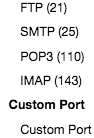
  2. TCP checks: [WayBack] New Feature – Monitoring Ports | Uptime Robot – Blog

If you want to see a few specific TCP protocol tests in action, then check these:

I did not find a good site to test IMAP servers in a simple way like the above sites. If anyone has one: please share it in a comment below.

I did find a post with public FTP servers (they are becoming rare): [WayBack] Is there a Public FTP server to test upload and download? – Stack Overflow

jeroen

Posted in *nix, Monitoring, Power User, Uptimerobot | Leave a Comment »